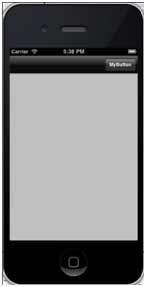
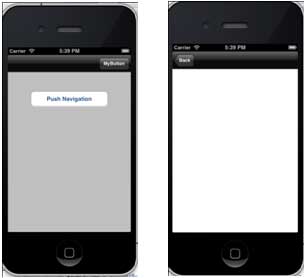
The navigation bar contains the navigation buttons for the navigation controller. The title in the navigation bar is the title of the current view controller. 1.创视图应用程序 Now, select the application Delegate.h and add the properties of the navigation controller, as follows: 3. 更新应用程序: didFinishLaunchingWithOptions:方法,在AppDelegate.m文件分配的导航控制器,并使其成为窗口的根视图控制器,如下所示: 4.现在,通过选择 File -> New -> File… -> Objective C Class add a new class file, TempViewController, and name the class as a subclass of TempViewController and UIViewController. 5.在ViewController.h中添加navButon,如下所示 6.现在添加方法addNavigationBarItem并在viewDidLoad调用方法 Create methods for navigation items We also need to create another method to another view controller TempViewController. The updated ViewController.m is as follows: Now when we run the application, we get the following output Click the MyButton navigation button to toggle the navigation button visibility Click the navigation button to display another view controller, as shown below 9.15.1. Sample code and steps 
#import <UIKit/UIKit.h>

@class ViewController;

@interface AppDelegate : UIResponder <UIApplicationDelegate>

@property (strong, nonatomic) UIWindow *window;

@property (strong, nonatomic) ViewController *viewController;

@property (strong, nonatomic) UINavigationController *navController;

@end
- (BOOL)application:(UIApplication *)application didFinishLaunchingWithOptions:(NSDictionary *)launchOptions
{
    self.window = [[UIWindow alloc] initWithFrame:
    [[UIScreen mainScreen] bounds]];
    // Override point for customization after application launch.
    self.viewController = [[ViewController alloc]
    initWithNibName:@"ViewController" bundle:nil];
    //Navigation controller init with ViewController as root
    UINavigationController *navController = [[UINavigationController alloc]
    initWithRootViewController:self.viewController];
    self.window.rootViewController = navController;
    [self.window makeKeyAndVisible];
    return YES;
}
// ViewController.h
#import <UIKit/UIKit.h>

@interface ViewController : UIViewController
{
    UIButton *navButton;
}
@end
// ViewController.m
#import "ViewController.h"
#import "TempViewController.h"
@interface ViewController ()

@end
@implementation ViewController

- (void)viewDidLoad
{
    [super viewDidLoad];
    [self addNavigationBarButton];
    //Do any additional setup after loading the view, typically from a nib
}

- (void)didReceiveMemoryWarning
{
    [super didReceiveMemoryWarning];
    // Dispose of any resources that can be recreated.
}

-(IBAction)pushNewView:(id)sender{
   TempViewController *tempVC =[[TempViewController alloc]
   initWithNibName:@"TempViewController" bundle:nil];
   [self.navigationController pushViewController:tempVC animated:YES];
}

-(IBAction)myButtonClicked:(id)sender{
   // toggle hidden state for navButton
   [navButton setHidden:!nav.hidden];
}

-(void)addNavigationBarButton{
   UIBarButtonItem *myNavBtn = [[UIBarButtonItem alloc] initWithTitle:
   @"MyButton" style:UIBarButtonItemStyleBordered target:
   self action:@selector(myButtonClicked:)];

   [self.navigationController.navigationBar setBarStyle:UIBarStyleBlack];
   [self.navigationItem setRightBarButtonItem:myNavBtn];

   // create a navigation push button that is initially hidden
   navButton = [UIButton buttonWithType:UIButtonTypeRoundedRect];
   [navButton setFrame:CGRectMake(60, 50, 200, 40)];
   [navButton setTitle:@"Push Navigation" forState:UIControlStateNormal];
   [navButton addTarget:self action:@selector(pushNewView:)
   forControlEvents:UIControlEventTouchUpInside];
   [self.view addSubview:navButton];
   [navButton setHidden:YES];
}
@end