Ubuntu is a Linux operating system based on Debian. Access Ubuntu Mirror Library address: https://hub.docker.com/_/ubuntu?tab=tags&page=1 . You can view other versions of Ubuntu through Sort by. The default is the latest version of ubuntu:latest. You can also find other versions you want in the drop-down list: Or: ` <../wp-content/uploads/2019/11/docker-ubuntu1.png>` __ ` <../wp-content/uploads/2019/11/docker-ubuntu2.png>` __ You can see in the figure above that we have installed the latest version of ubuntu. ` <../wp-content/uploads/2019/11/docker-ubuntu3.png>` __ Finally, we can view the running information of the container through the docker ps command: ` <../wp-content/uploads/2019/11/docker-ubuntu4.png>` __ 2.18.1. 1. View the available Ubuntu versions 
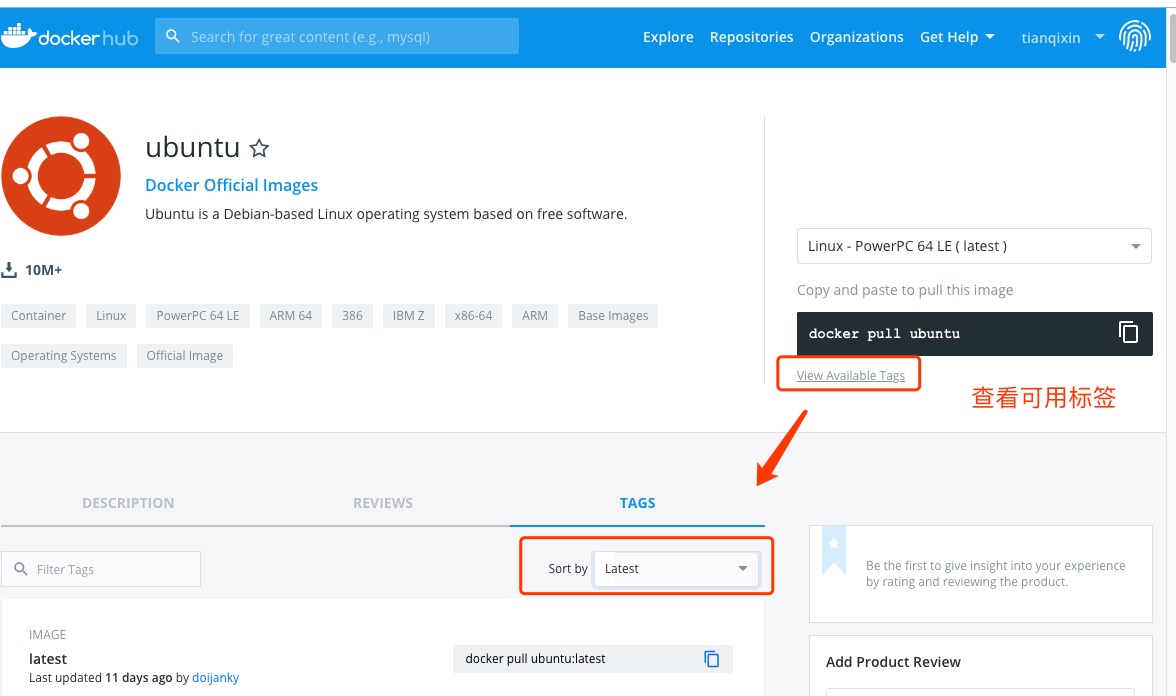
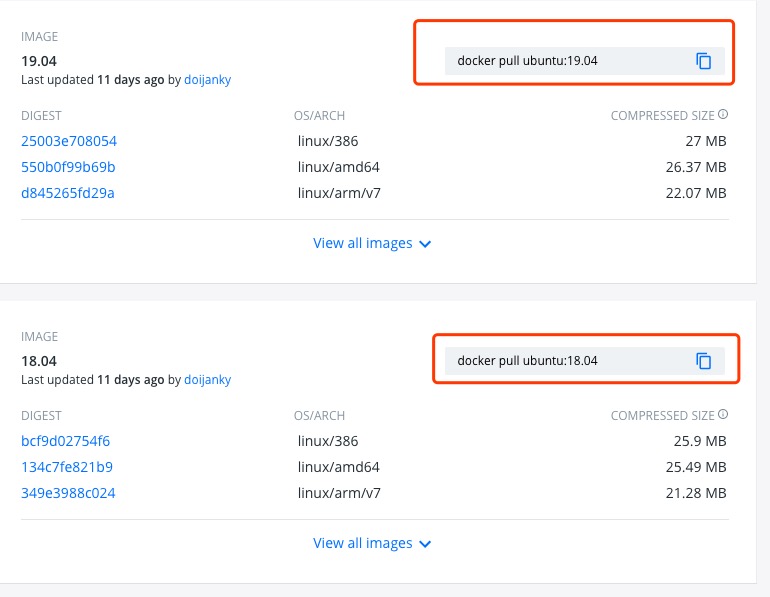
2.18.2. 2. Pull the latest version of Ubuntu image 
$ docker pull ubuntu
$ docker pull ubuntu:latest
2.18.3. 3. View the local image 
$ docker images
2.18.4. 4. Run the container, and you can enter the ubuntu container through the exec command 
$ docker run -itd --name ubuntu-test ubuntu
2.18.5. 5. Installation succeeded 