Simply speaking, routing is to judge the corresponding handler according to the URL link requested by the user, and return the processing result, that is, the mapping relationship between URL and Django view is established.
Django routes are configured in urls.py, and each configuration in urls.py corresponds to the corresponding processing method.
The configuration of urls.py is a little different in different versions of Django: url() 方法 Both normal path and regular path can be used, and you need to manually add regular first limit symbols. Path: for ordinary paths, you do not need to manually add regular first limit symbols, the underlying layer has been added. re_path:用于正则路径,需要自己手动添加正则首位限制符号。 总结: Url in the Django1.1.x version is the same as re_path in the Django 2.2.x version. Anonymous groups transmit parameters according to location, corresponding one by one. Except for request, the number of other parameters in views should be the same as the number of groups in urls. Syntax: The named group transmits parameters by keyword, regardless of the order of position. Except for request, the number of other parameters in views should be the same as the number of groups in urls, and the names of parameters in views should correspond to the group names in urls. 存在问题 Sharing one urls among multiple app directories in a Django project is easy to cause confusion and inconvenient for later maintenance. 解决 Using routing distribution (include), each app directory has its own urls. 步骤: 1、在每个 app 目录里都创建一个 urls.py 文件。 2、在项目名称目录下的 urls 文件里,统一将路径分发给各个 app 目录。 In the respective app directory, write your own urls.py file and jump to the path. App01 directory: App02 directory: Write your own view functions in the views.py file in the respective app directory. With the increase of function, the url of the routing layer changes, so it is necessary to change the url of the corresponding view layer and template layer, which is very troublesome and inconvenient to maintain. At this time, we can use reverse parsing. When the url of the routing layer changes, we can dynamically reverse the changed url in the view layer and template layer to avoid modification. Reverse parsing is commonly used in hyperlinks in templates and redirects in views. Alias the route in urls.py name=”路由别名” . In views.py, introduce reverse from django.urls, using the reverse(“路由别名”) Reverse resolution: In the HTML file in the template templates, use the {% url “路由别名” %} Reverse parsing. Alias the route in urls.py name=”路由别名” . In views.py, introduce reverse from django.urls, using the reverse(“路由别名”,args=(符合正则匹配的参数,)) Reverse parsing. In the HTML file in the template templates {% url “路由别名” 符合正则匹配的参数 %} Reverse parsing. Alias the route in urls.py name=”路由别名” . In views.py, introduce reverse from django.urls, using the reverse(“路由别名”,kwargs={“分组名”:符合正则匹配的参数}) Reverse parsing. In the HTML file in the template templates, use the {% url “路由别名” 分组名=符合正则匹配的参数 %} Reverse parsing. A namespace (English: Namespace) is a visible range that represents an identifier. An identifier can be defined in multiple namespaces, and its meaning in different namespaces is irrelevant. Any identifiers can be defined in a new namespace, and they do not conflict with any duplicate identifiers, because duplicate definitions are in other namespaces. 存在问题: The routing alias name has no scope. When Django parses the URL in reverse, it will search in the global order of the project. When it finds the first routing alias, name, which specifies URL, it will return immediately. When the same routing alias name is defined in urls under different app directories, it may result in URL reverse parsing error. 解决: Use namespaces. Define the namespace (there is a tuple in include) in the following format: Example: Have the same routing alias in app01/urls.py. Using namespaces in views.py, the syntax format is as follows: Example: Use namespaces in the HTML file of the templates template in the following syntax format: Example: 7.9.1. Django1.1.x version 
Example 
from django.conf.urls import url # 用 url 需要引入
urlpatterns = [
    url(r'^admin/$', admin.site.urls),
    url(r'^index/$', views.index), # 普通路径
    url(r'^articles/([0-9]{4})/$', views.articles), # 正则路径
]
7.9.2. Django versions later than 2.2.x 
Example 
from django.urls import re_path # 用re_path 需要引入
urlpatterns = [
    path('admin/', admin.site.urls),
    path('index/', views.index), # 普通路径
    re_path(r'^articles/([0-9]{4})/$', views.articles), # 正则路径
]
7.9.3. Grouping in regular paths 
7.9.4. Unnamed groups in regular paths 
urls.py 
urlpatterns = [
    path('admin/', admin.site.urls),
    re_path("^index/([0-9]{4})/$", views.index),
]
views.py 
from django.shortcuts import HttpResponse
def index(request,year):
    print(year) # 一个形参代表路径中一个分组的内容,按顺序匹配
    return HttpResponse('菜鸟教程')

7.9.5. Named grouping in regular paths 
(?P<组名>正则表达式)
urls.py 
urlpatterns = [
    path('admin/', admin.site.urls),
    re_path("^index/(?P[0-9]{4})/(?P[0-9]{2})/$", views.index),
]
views.py 
from django.shortcuts import HttpResponse
def index(request, year, month):
    print(year,month) #
一个形参代表路径中一个分组的内容,按关键字对应匹配
    return HttpResponse('菜鸟教程')

7.9.6. Named grouping in regular paths 
7.9.7. Route Distribution (include) 
Example 
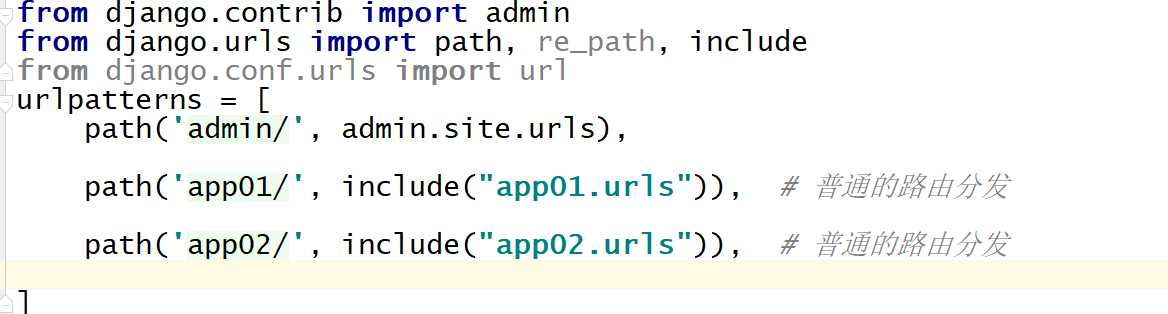
from django.contrib import admin
from django.urls import path,include # 从 django.urls 引入 include
urlpatterns = [
    path('admin/', admin.site.urls),
    path("app01/", include("app01.urls")),
    path("app02/", include("app02.urls")),
]
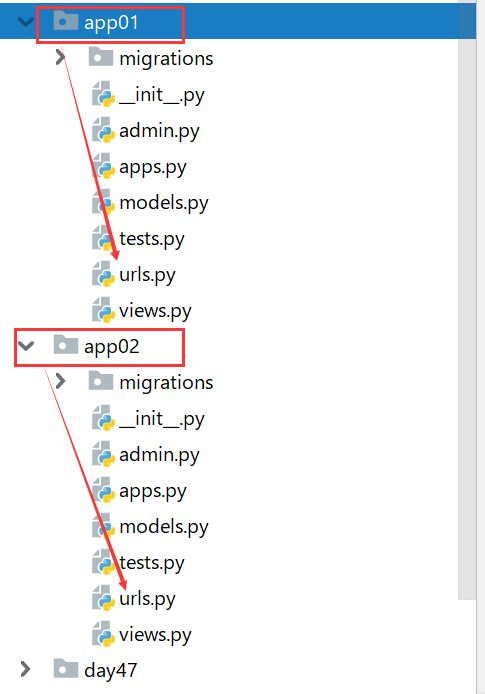
from django.urls import path,re_path
from app01 import views # 从自己的 app 目录引入 views
urlpatterns = [
    re_path(r'^login/(?P<m>[0-9]{2})/$', views.index, ),
]
from django.urls import path,re_path
from app02 import views # 从自己的 app 目录引入views
urlpatterns = [
    re_path("^xxx/(?P[0-9]{4})/$", views.xxx),
]

7.9.8. Reverse parsing 
7.9.9. Ordinary path 
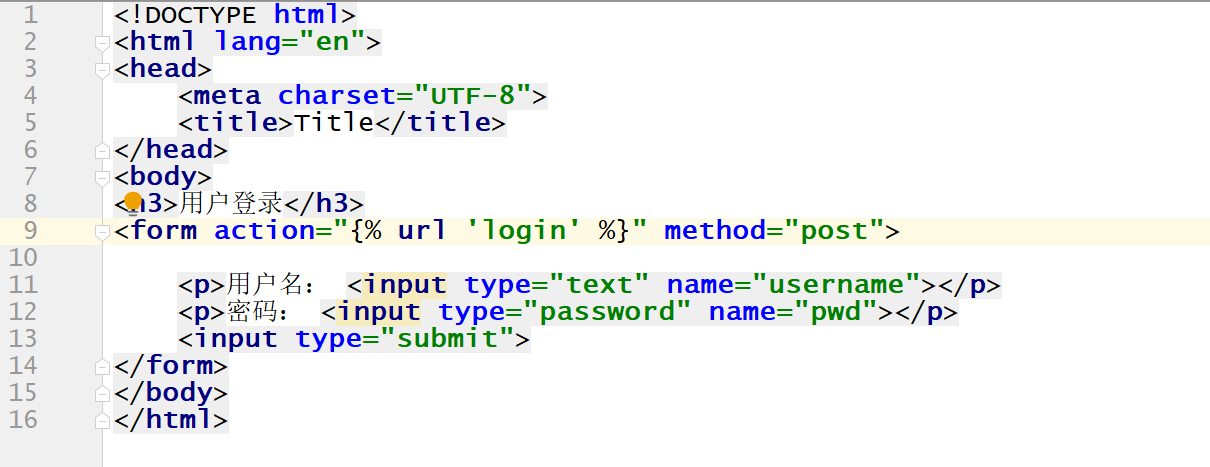
path("login1/", views.login, name="login")

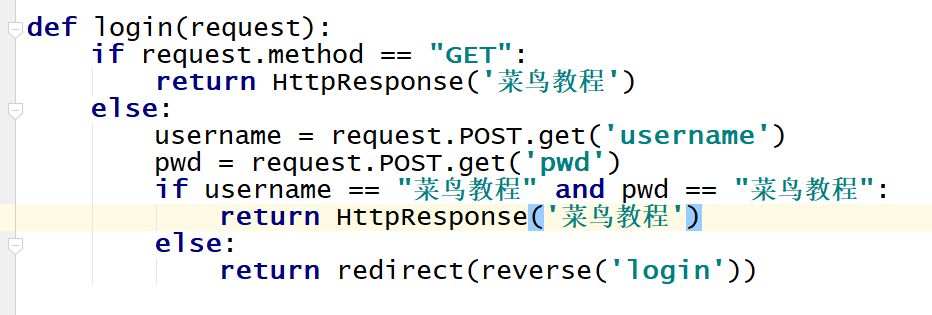
return redirect(reverse("login"))
<form action="{% url 'login' %}" method="post">
7.9.10. Regular path (anonymous grouping) 
re_path(r"^login/([0-9]{2})/$", views.login, name="login")

return redirect(reverse("login",args=(10,)))
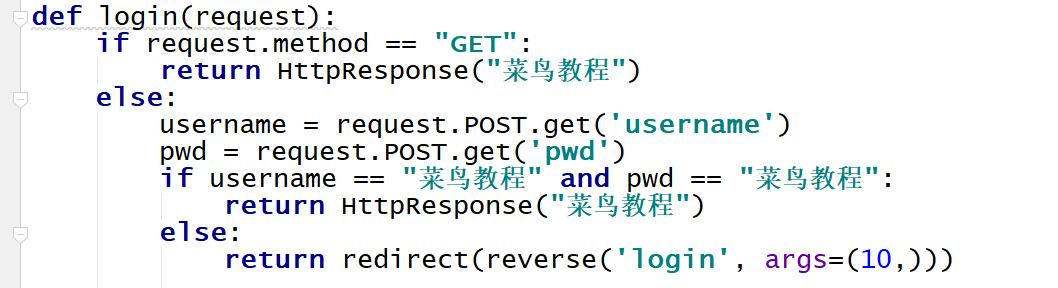
<form action="{% url 'login' 10 %}" method="post">

7.9.11. Regular path (named grouping) 
re_path(r"^login/(?P<year>[0-9]{4})/$", views.login, name="login")

return redirect(reverse("login",kwargs={"year":3333}))
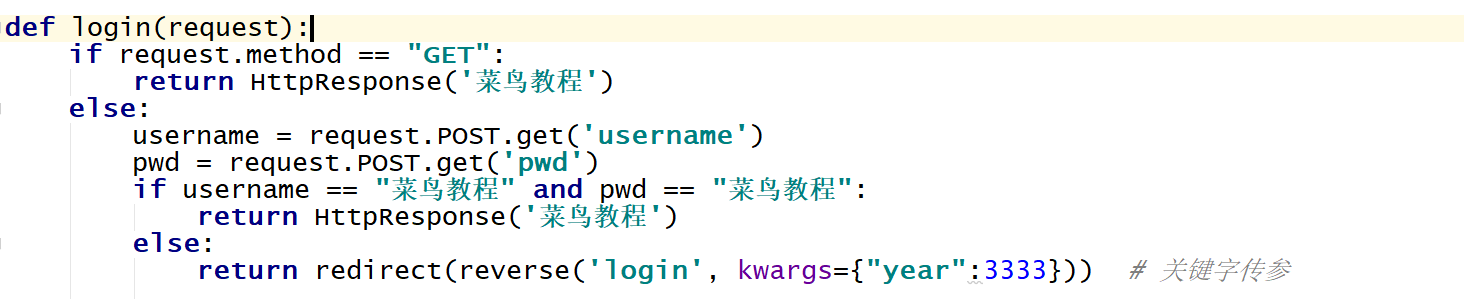
<form action="{% url 'login' year=3333 %}" method="post">

7.9.12. Namespace 
7.9.13. Ordinary path 
include(("app名称:urls","app名称"))
path("app01/", include(("app01.urls","app01")))
path("app02/", include(("app02.urls","app02")))

path("login/", views.login, name="login")
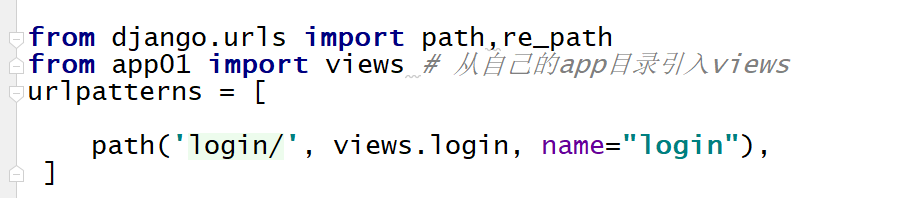
reverse("app名称:路由别名")
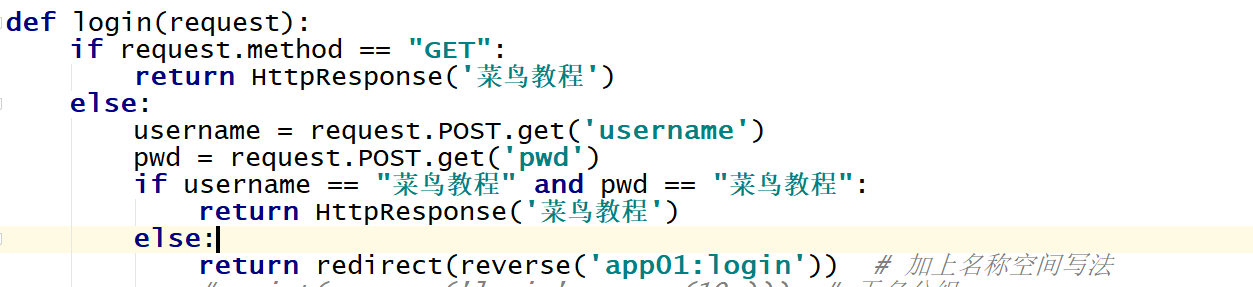
return redirect(reverse("app01:login")
{% url "app名称:路由别名" %}
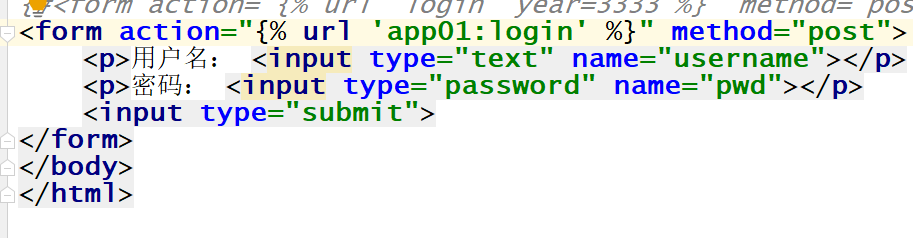
<form action="{% url 'app01:login' %}" method="post">