9.34.1. Brief introduction 
Audio and video are quite common in the latest devices.
Adding iosAVFoundation.framework and MediaPlayer.framework to the Xcode project allows IOS to support audio and video (Audio & Video).
9.34.2. Instance step 
1、创建一个简单的View based application
2、选择项目文件、选择目标,然后添加AVFoundation.framework和MediaPlayer.framework
3、在ViewController.xib中添加两个按钮,创建一个用于分别播放音频和视频的动作(action)
4、更新ViewController.h,如下所示
#import <UIKit/UIKit.h>
#import <AVFoundation/AVFoundation.h>
#import <MediaPlayer/MediaPlayer.h>

@interface ViewController : UIViewController
{
    AVAudioPlayer *audioPlayer;
    MPMoviePlayerViewController *moviePlayer;

}
-(IBAction)playAudio:(id)sender;
-(IBAction)playVideo:(id)sender;
@end
5、更新ViewController.m,如下所示
#import "ViewController.h"

@interface ViewController ()

@end

@implementation ViewController

- (void)viewDidLoad
{
    [super viewDidLoad];
}

- (void)didReceiveMemoryWarning
{
   [super didReceiveMemoryWarning];
   // Dispose of any resources that can be recreated.
}
-(IBAction)playAudio:(id)sender{
   NSString *path = [[NSBundle mainBundle]
   pathForResource:@"audioTest" ofType:@"mp3"];
   audioPlayer = [[AVAudioPlayer alloc]initWithContentsOfURL:
   [NSURL fileURLWithPath:path] error:NULL];
   [audioPlayer play];
}
-(IBAction)playVideo:(id)sender{
   NSString *path = [[NSBundle mainBundle]pathForResource:
   @"videoTest" ofType:@"mov"];
   moviePlayer = [[MPMoviePlayerViewController
   alloc]initWithContentURL:[NSURL fileURLWithPath:path]];
   [self presentModalViewController:moviePlayer animated:NO];
}
@end
9.34.3. Attention item 
Audio and video files need to be added to ensure the expected output
9.34.4. Output 
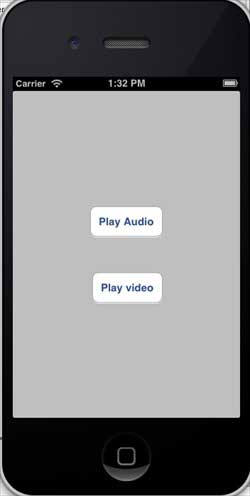
Run the program, and the output is as follows
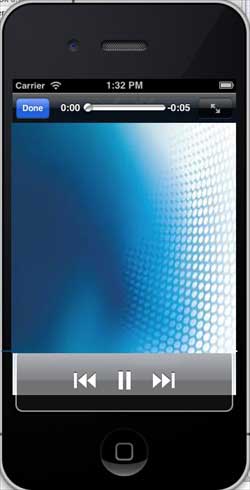
When we click play video (play video), the display is as follows: