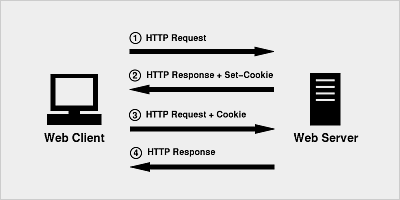
Cookie is a text file stored on the client computer and retains a variety of tracking information.
Identifying the returned user consists of three steps:
The server script sends a set of Cookie to the browser. For example: name, age or identification number, etc.
Browsers store this information on the local computer for future use.
The next time the browser sends any request to the Web server, the browser sends this Cookie information to the server, which the server uses to identify the user.
HTTP is a “stateless” protocol, which means that every time a client retrieves a web page, the client opens a separate connection to the Web server, and the server automatically does not retain any records previously requested by the client.
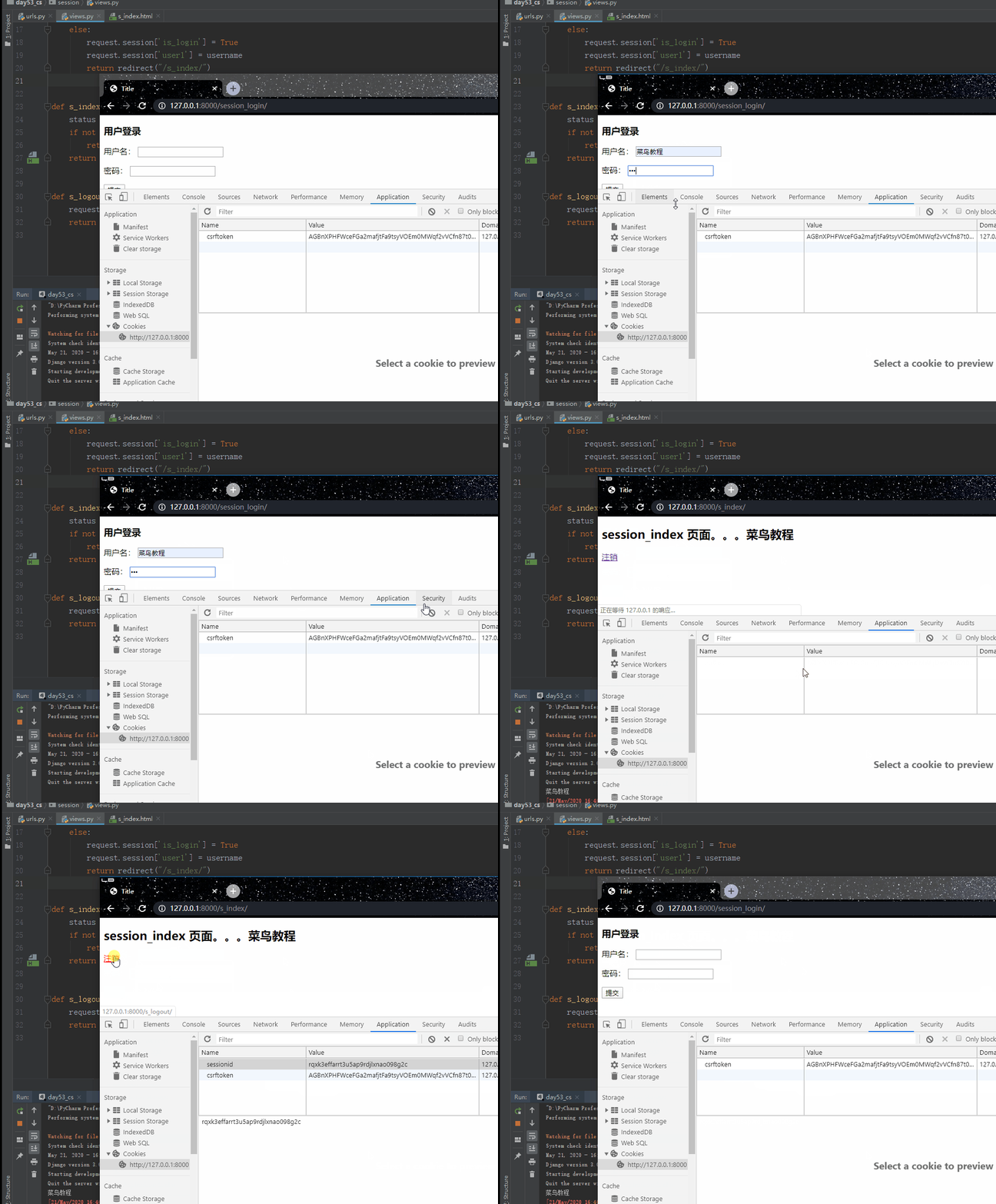
However, there are still three ways to maintain a session session between a Web client and a Web server: A Web server can assign a unique session session ID as the cookie for each Web client, and subsequent requests from the client can be identified using the received cookie. In Web development, session is used to complete session tracking, and the underlying session relies on Cookie technology. Set up the cookie: Get cookie: Delete cookie: 以下创建三个模板文件:login.html、index.html、order.html。 The running result is shown in the following figure: The server can create a unique session object for each user’s browser at run time. Because session is exclusive to the user browser, users can put their own data in their own session when accessing the server’s web resources. When users visit other web resources in the server, other web resources take data out of their respective session to serve the users. The browser requests for the login page login for the first time. b. 浏览器输入账号密码第二次请求,若输入正确,服务器响应浏览器一个 index 页面和一个键为 sessionid,值为随机字符串的 cookie,即 set_cookie (“sessionid”,随机字符串)。 A piece of data is recorded inside the server in the django.session table. There are three fields in the django.session table. Session_key: stores a random string, that is, the value corresponding to the sessionid key that responds to the cookie to the browser. Session_data: stores the user’s information, that is, multiple request.session [“key”] = value, and is ciphertext. expire_date:存的是该条记录的过期时间(默认14天) d. 浏览器第三次请求其他资源时,携带 cookie :{sessionid:随机字符串},服务器从 django.session 表中根据该随机字符串取出该用户的数据,供其使用(即保存状态)。 注意: The django.session table holds the information of the browser, not the information of each user. Therefore, multiple user requests in the same browser save only one record (which overrides the previous one), and multiple browser requests save multiple records. Cookie makes up for the stateless deficiency of http and lets the server know who the incoming person is, but cookie is saved in the form of text on the browser side, which is less secure and only supports a maximum of 4096 bytes, so it only identifies different users through cookie, and then stores private information and more than 4096 bytes of text in the corresponding session. Session settings: Perform the steps: Generate random strings b. 把随机字符串和设置的键值对保存到 django_session 表的 session_key 和 session_data 里 Set the cookie:set_cookie (“sessionid”, random string) response to the browser Session acquisition: Perform the steps: Get the value of the sessionid key from cookie, that is, a random string. Filter out records from the django_session table based on random strings. Fetch the data from the session_data field. Delete session, delete the entire record (including session_key, session_data, and expire_date fields): Delete one of the key-value pairs in session_data: Perform the steps: Get the value of the sessionid key from cookie, that is, a random string Filter records from the django_session table according to random strings Delete filtered records Create a route: Create a view function: Template file: The running result is shown in the following figure: 7.16.1. Cookies 
7.16.2. Syntax of Cookie in Django 
rep.set_cookie(key,value,...)
rep.set_signed_cookie(key,value,salt='加密盐',...)
request.COOKIES.get(key)
rep =HttpResponse || render || redirect
rep.delete_cookie(key)
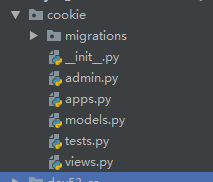
7.16.3. Create applications and models 
models.py 
class UserInfo(models.Model):
    username = models.CharField(max_length=32)
    password = models.CharField(max_length=64)
urls.py 
from django.contrib import admin
from django.urls import path
from cookie import views
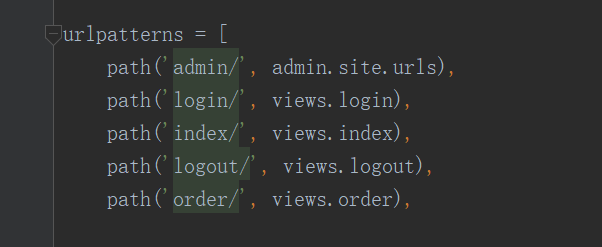
urlpatterns = [
    path('admin/', admin.site.urls),
    path('login/', views.login),
    path('index/', views.index),
    path('logout/', views.logout),
    path('order/', views.order)
views.py 
def login(request):
    if request.method == "GET":
        return render(request, "login.html")
    username = request.POST.get("username")
    password = request.POST.get("pwd")
    user_obj = models.UserInfo.objects.filter(username=username,
password=password).first()
    print(user_obj.username)
    if not user_obj:
        return redirect("/login/")
    else:
        rep = redirect("/index/")
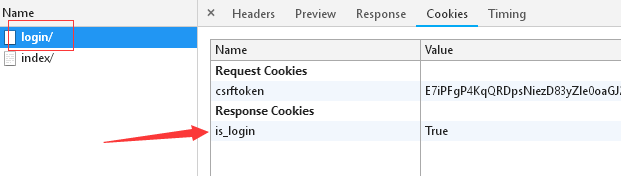
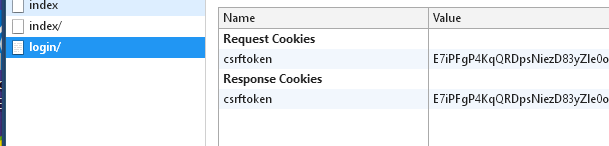
        rep.set_cookie("is_login", True)
        return rep

def index(request):
    print(request.COOKIES.get('is_login'))
    status = request.COOKIES.get('is_login') #
收到浏览器的再次请求,判断浏览器携带的cookie是不是登录成功的时候响应的
cookie
    if not status:
        return redirect('/login/')
    return render(request, "index.html")
def logout(request):
    rep = redirect('/login/')
    rep.delete_cookie("is_login")
    return rep #
点击注销后执行,删除cookie,不再保存用户状态,并弹到登录页面

def order(request):
    print(request.COOKIES.get('is_login'))
    status = request.COOKIES.get('is_login')
    if not status:
        return redirect('/login/')
    return render(request, "order.html")
login.html 
<!DOCTYPEhtml><htmllang="en"><head><metacharset="UTF-8"><title>Title</title></head><body><h3>用户登录</h3><formaction=""method="post">{%
csrf_token
%}<p>用户名:<inputtype="text"name="username"></p><p>密码:<inputtype="password"name="pwd"></p><inputtype="submit"></form></body></html>
index.html 
<!DOCTYPEhtml><htmllang="en"><head><metacharset="UTF-8"><title>Title</title></head><body><h2>index
页面。。。</h2><ahref="/logout/">注销</a></body></html>
order.html 
<!DOCTYPEhtml><htmllang="en"><head><metacharset="UTF-8"><title>Title</title></head><body><h2>order
页面。。。</h2><ahref="/logout/">注销</a></body></html>

7.16.4. Session (key-value pair saved on the server) 
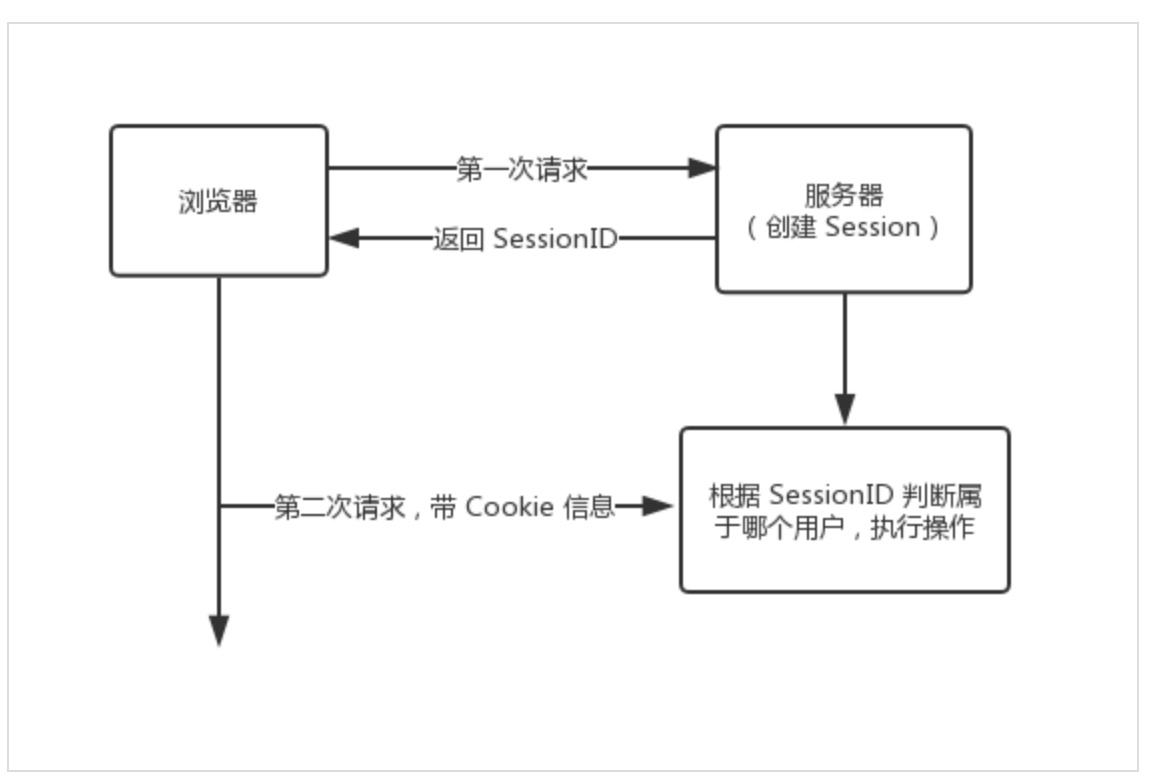
7.16.5. working principle 
request.session["key"] = value
request.session.get('key')
request.session.flush()
del request.session["key"]
7.16.6. Example 
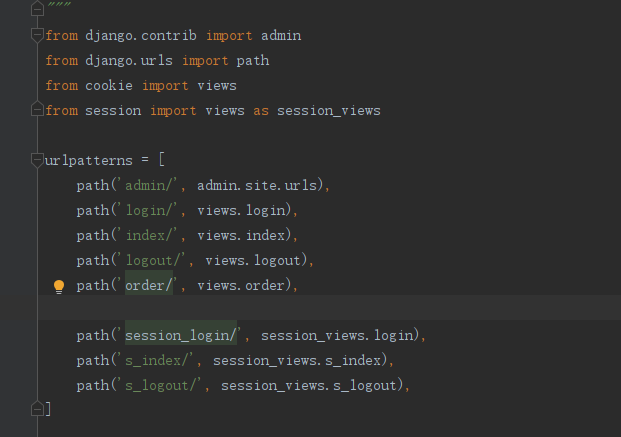
urls.py 
from session import views as session_views
urlpatterns = [
    path('session_login/', session_views.login),
    path('s_index/', session_views.s_index),
    path('s_logout/', session_views.s_logout),
]
views.py 
def login(request):
    if request.method == "GET":
        return render(request, "login.html")
    username = request.POST.get("username")
    password = request.POST.get("pwd")
    user_obj = models.UserInfo.objects.filter(username=username,
password=password).first()
    print(user_obj.username)
    if not user_obj:
        return redirect("/session_login/")
    else:
        request.session['is_login'] = True
        request.session['user1'] = username
        return redirect("/s_index/")
def s_index(request):
    status = request.session.get('is_login')
    if not status:
        return redirect('/session_login/')
    return render(request, "s_index.html")
def s_logout(request):
   # del request.session["is_login"] # 删除session_data里的一组键值对
    request.session.flush() # 删除一条记录包括(session_key session_data
expire_date)三个字段
    return redirect('/session_login/')
s_index.html 
<!DOCTYPEhtml><htmllang="en"><head><metacharset="UTF-8"><title>Title</title></head><body><h2>session_index
页面。。。{{ request.session.user1
}}</h2><ahref="/s_logout/">注销</a></body></html>