10.10.1. Supported HTML elements 
Tags that are not covered by Markdown can be written in HTML directly in the document.
Currently, the supported HTML elements are:
      <kbd>
      <b>
      <i>
      <em>
      <sup>
      <sub>
      <br>
Etc., such as:
使用 <kbd>Ctrl</kbd>+<kbd>Alt</kbd>+<kbd>Del</kbd> 重启电脑
The output is as follows:

10.10.2. Transfer of meaning 
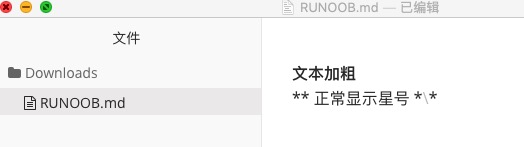
Markdown uses a lot of special symbols to express specific meanings, and if you need to display specific symbols, you need to use escape characters, and Markdown uses backslashes to escape special characters:
**文本加粗**
\*\* 正常显示星号 \*\*
The output is as follows:
Markdown supports the following symbols preceded by a backslash to help insert ordinary symbols:
   反斜线
`   反引号
*   星号
_   下划线
{}  花括号
[]  方括号
()  小括号
#   井字号
+   加号
-   减号
.   英文句点
!   感叹号
10.10.3. Formula 
Markdown Preview Enhanced Use KaTeX Or MathJax To render mathematical expressions.
KaTeX has faster performance than MathJax, but it lacks many of the features that MathJax has. You can check KaTeX supported functions/symbols to see which symbols and functions KaTeX supports.
The delimiter by default:
$...$Or\(...\)The mathematical expressions in the will be displayed on the line.$$...$$Or\[...\]Or` The mathematical expressions in ``mathwill be displayed within the block.

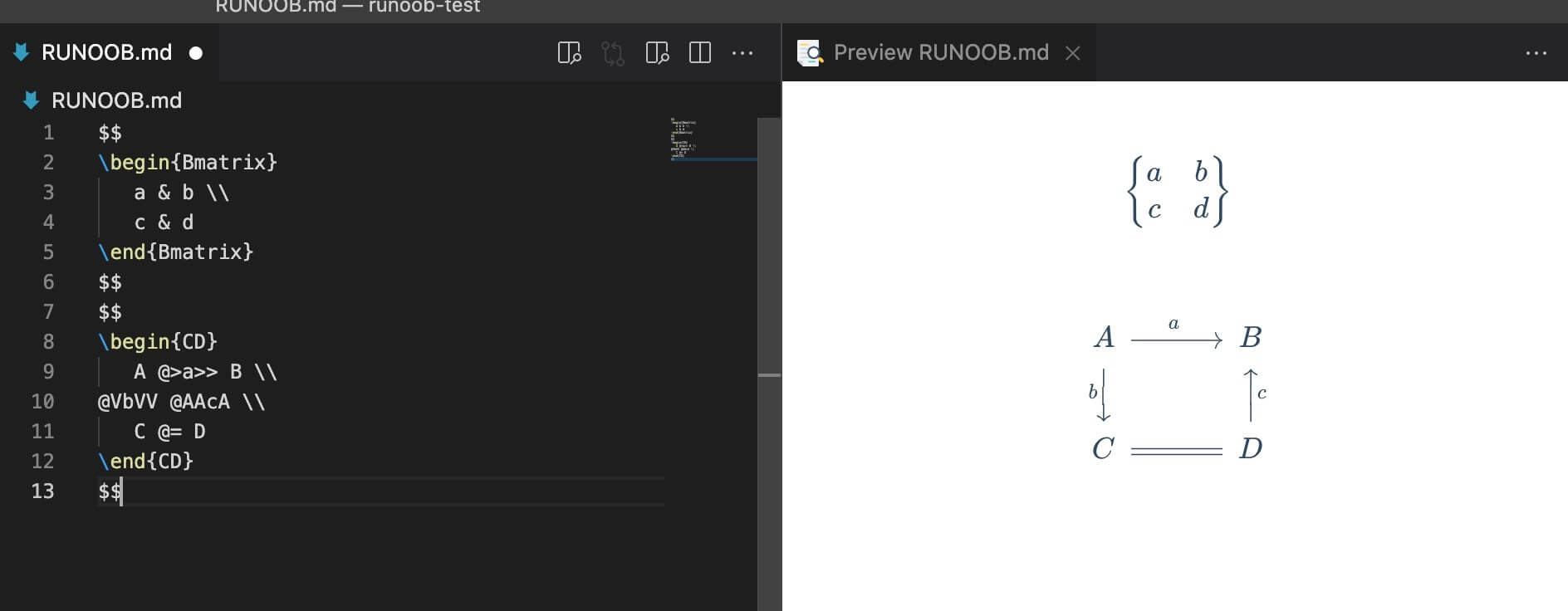
$$
\begin{Bmatrix}
   a & b \\
   c & d
\end{Bmatrix}
$$
$$
\begin{CD}
   A @>a>> B \\
@VbVV @AAcA \\
   C @= D
\end{CD}
$$
The output is as follows: