It is sometimes difficult to pull an image from DockerHub in China, so you can configure the image accelerator. Docker officials and many domestic cloud service providers provide domestic accelerator services, such as:
HKUST Mirror: https://docker.mirrors.ustc.edu.cn/
NetEase: https://hub-mirror.c.163.com/
Ali Yun: https://<你的ID>.mirror.aliyuncs.com
Qiniuyun accelerator: https://reg-mirror.qiniu.com
After configuring an accelerator address, if you find that the mirror cannot be pulled, please switch to another accelerator address. All the major cloud service providers in China provide Docker image acceleration service. It is recommended to select the corresponding image acceleration service according to the cloud platform running Docker.
Aliyun Image acquisition address: https://cr.console.aliyun.com/cn-hangzhou/instances/mirrors . After logging in, select Image Accelerator on the left menu to see your exclusive address:
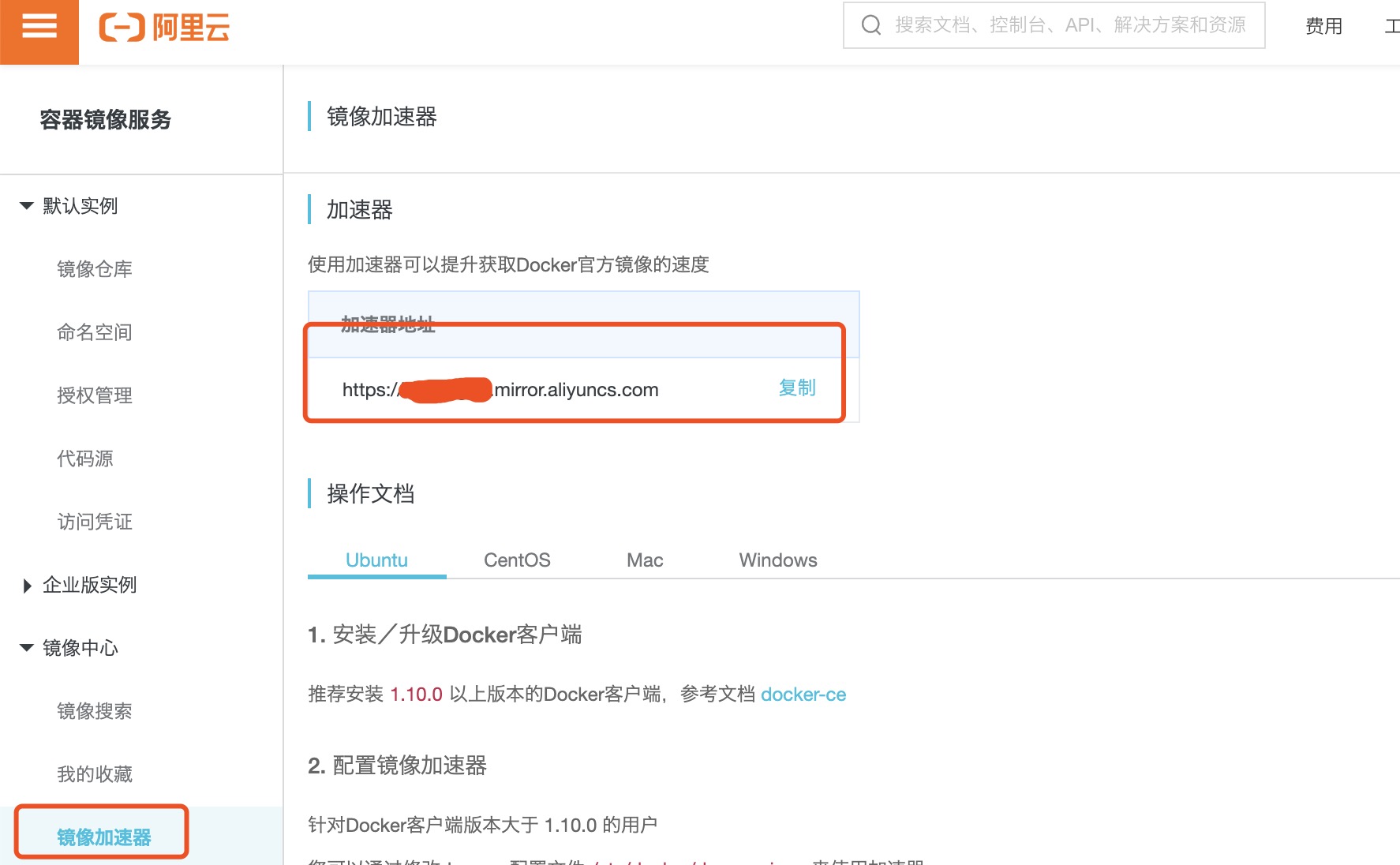
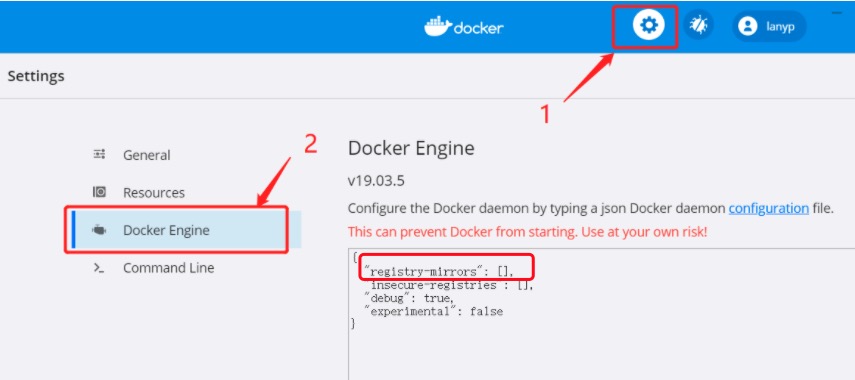
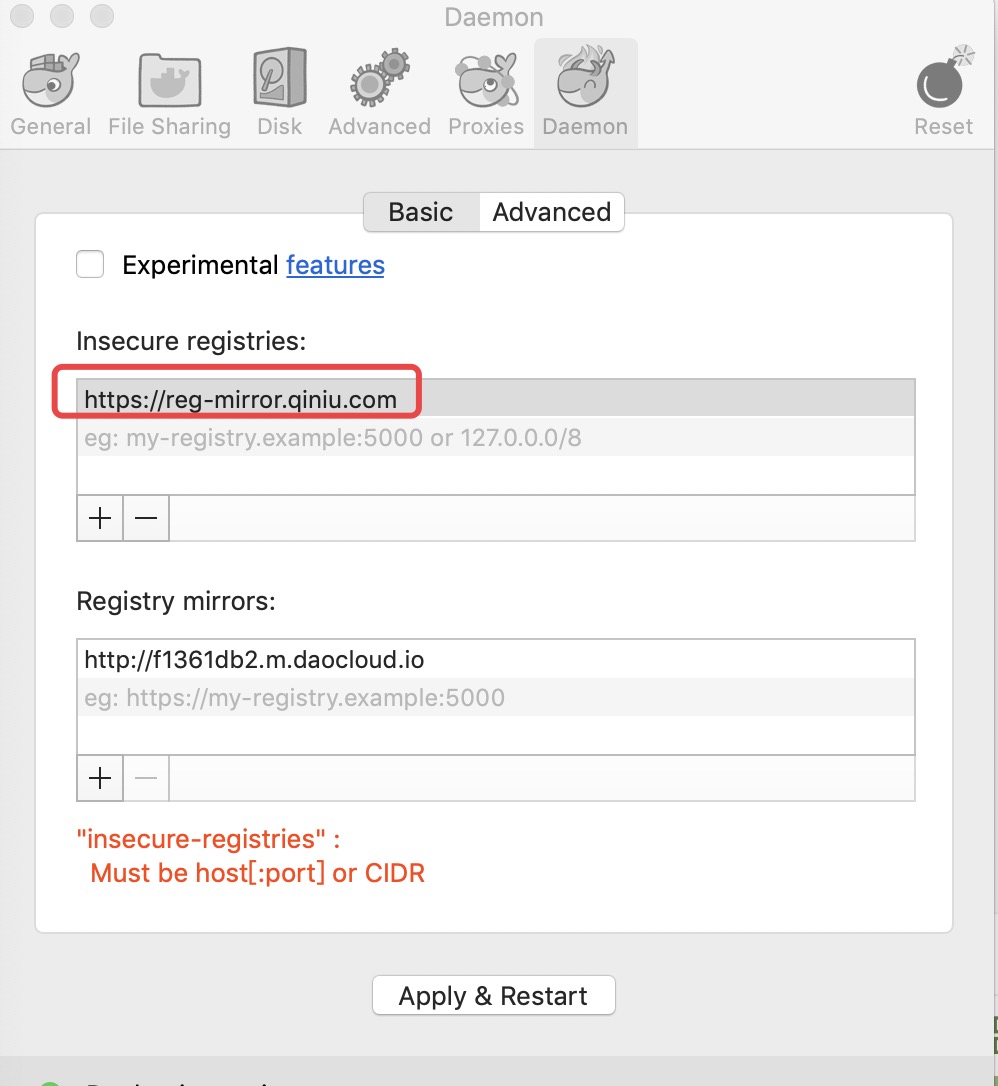
Before that, there was the official accelerator of Docker. https://registry.docker-cn.com Now it seems that it can no longer be used. We can add a few more domestic images. If there are any images that cannot be used, we will switch to an image that can be used to pull. For systems that use upstart, edit the / etc/default/docker file and configure the accelerator address in the DOCKER_OPTS: Restart the service: For systems that use systemd, write the following in / etc/docker/daemon.json (create a new file if it does not exist): Then restart the service: For systems using Windows 10, select Settings from the right-click menu in the tray Docker icon in the lower right corner of the system, and select Daemon from the left navigation menu after opening the configuration window. Fill in the accelerator address in the Registrymirrors column https://docker.mirrors.ustc.edu.cn/ After clicking Apply to save, Docker will restart and apply the configured image address. For users using Mac OS X, click the Docker for mac application icon-> Perferences…- > Daemon- > Registrymirrors in the taskbar. Fill in the accelerator address in the list https://reg-mirror.qiniu.com . After the modification is completed, click the Apply&Restart button, and Docker will restart and apply the configured image address. After checking whether the accelerator is in effect and configuring the accelerator, if pulling the image is still very slow, please manually check whether the accelerator configuration is in effect and execute it on the command line 2.8.1. Ubuntu14.04、Debian7Wheezy 
DOCKER_OPTS="--registry-mirror=https://registry.docker-cn.com"
$ sudo service docker restart
2.8.2. Ubuntu16.04+、Debian8+、CentOS7 
{"registry-mirrors":["https://reg-mirror.qiniu.com/"]}
$ sudo systemctl daemon-reload
$ sudo systemctl restart docker
2.8.3. Windows 10 
2.8.4. Mac OS X 
2.8.5. Check whether the accelerator is in effect 
      docker
      info
If you see the following from the result, the configuration is successful$ docker info
Registry Mirrors:
https://reg-mirror.qiniu.com