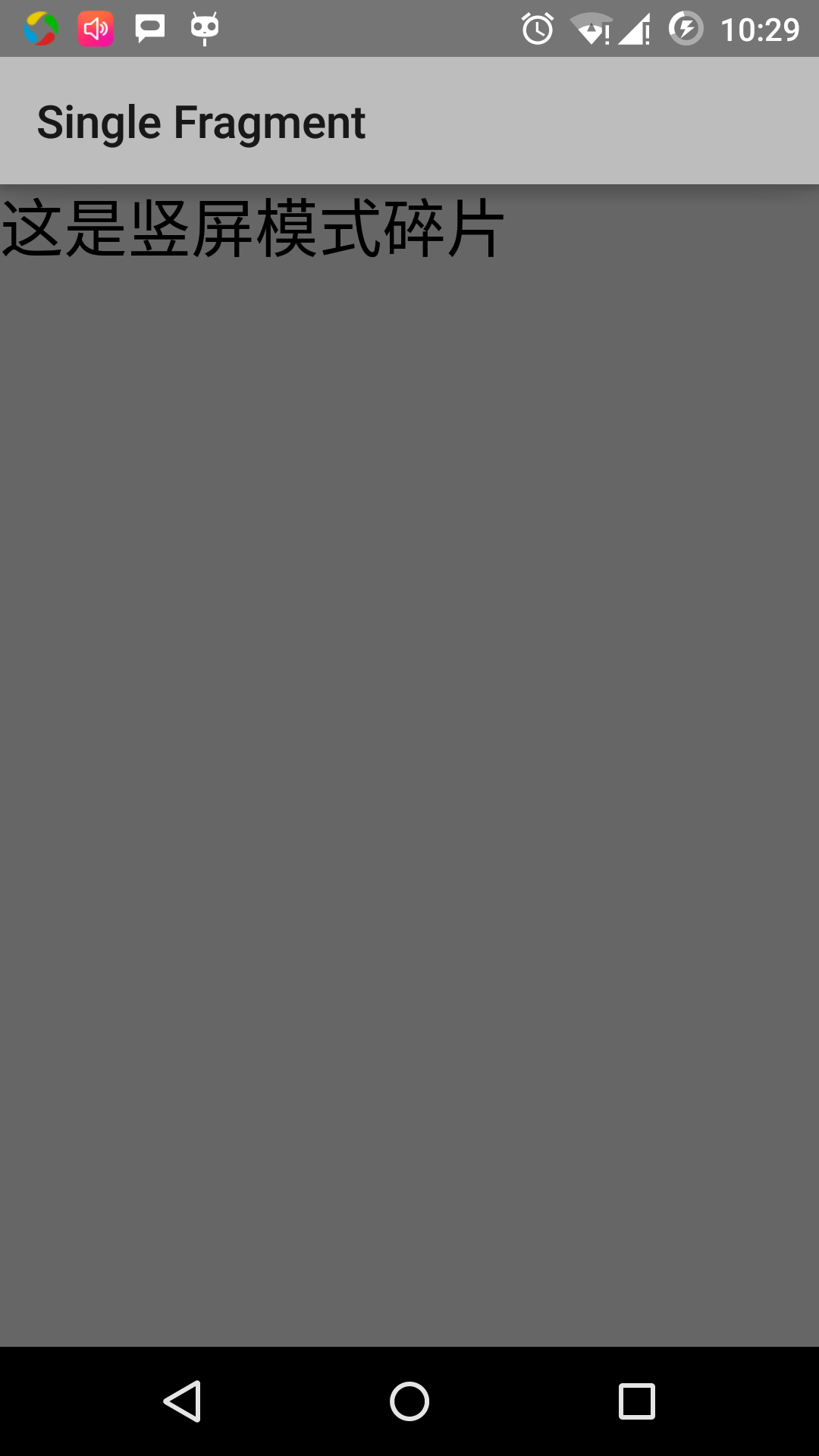
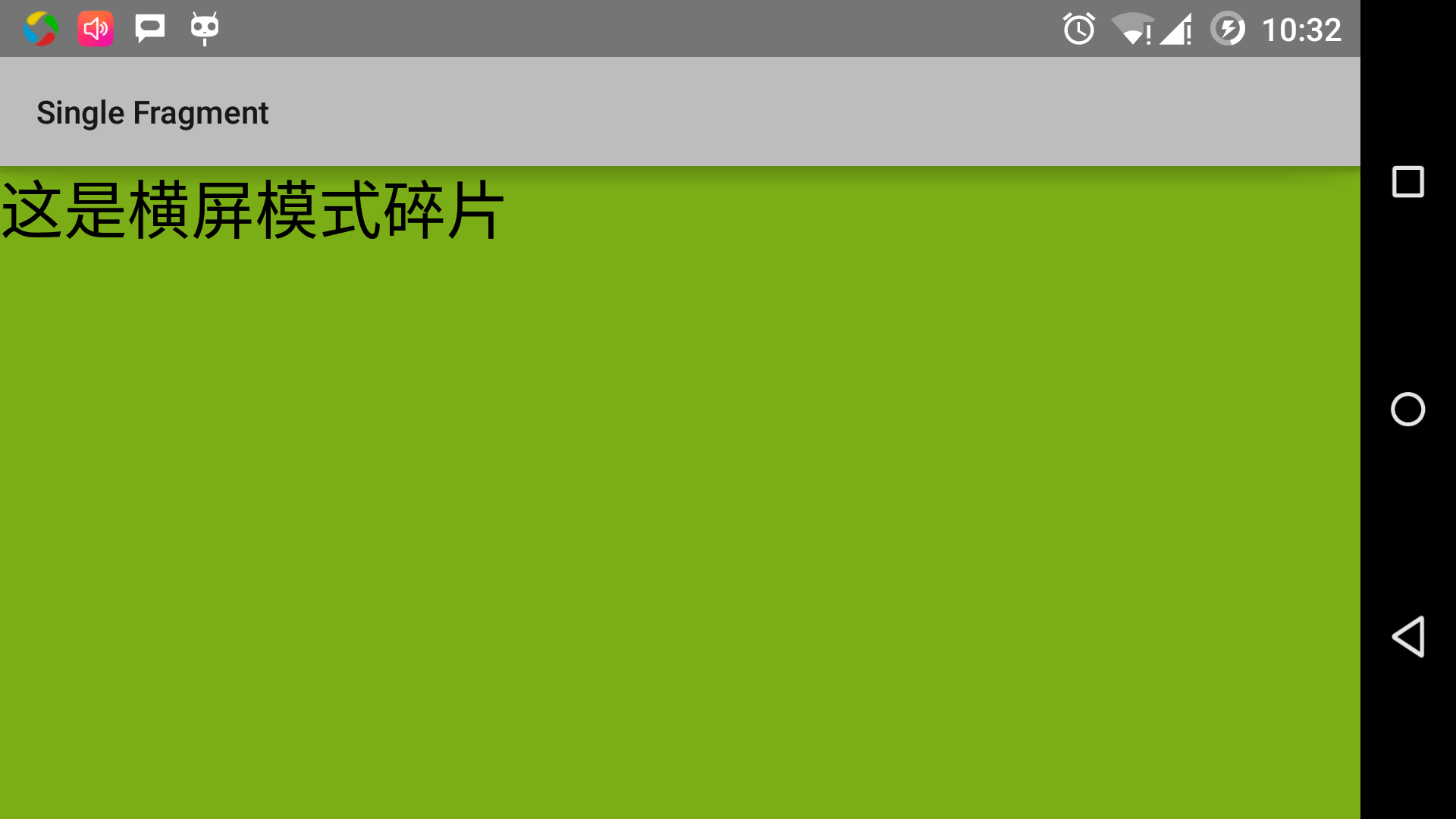
单帧碎片:单帧碎片是为小屏幕设备所设计的,如手持设备(移动电话),Android 3.0 以上版本支持。 This example explains how to create your own fragments. Here we create two fragments, one of which is used when the device is landscape and the other is used when the device is vertical. Let’s start with the steps. Steps Description 1 Use Android Studio IDE to create an Android application named Single Fragments and package name cn.uprogrammer.singlefragments. 2 Modify the main active file MainActivity.java as shown below. Here we will check the direction of the device and switch different fragments based on it. 3 Create PortraitFragment.java and LandscapeFragment.java files under the cn.uprogrammer.singlefragments package and associate the methods. 4 Create the layout files res/layout/landscape_fragment.xml and res/layout/portrait_fragment.xml to define the layout of the two fragments. 5 Modify the res/layout/activity_main.xml to contain two fragments. 6 Define the required constants in res/values/strings.xml. 7 Start the Android emulator to run the application and verify the results of the application’s changes. 下面是主要活动文件 在包 以下是 以下是 在目录 以下是 以下是 以下是 确保 Let’s run the Single Fragments application that we just modified. I assume that you have created AVD when you installed the environment. Open the active file in your project and click the icon in the toolbar to run the application in Android Studio. Android Studio installs the application on AVD and starts it. If all goes well, it will be displayed on the simulator window as follows: Change the orientation mode of the simulator screen as follows: Fn+control+F11 changes horizontal screen to vertical screen on mac, and vice versa Ctrl+F11 is on windows. Ctrl+F11 is on Linux. When you modify the mode, you will see the page implementation for landscape mode: In this way, you can implement different interfaces by using unused fragments in the same activity. You can use different types of interface components to build the interface according to your needs. 3.15.1. Example 
src/cn.uprogrammer.singlefragments/MainActivity.java
的内容:package cn.uprogrammer.singlefragment;
import android.os.Bundle;
import android.app.Activity;
import android.app.FragmentManager;
import android.app.FragmentTransaction;
import android.content.res.Configuration;
public class MainActivity extends Activity {
@Override
protected void onCreate(Bundle savedInstanceState) {
super.onCreate(savedInstanceState);
Configuration config = getResources().getConfiguration();
FragmentManager fragmentManager = getFragmentManager();
FragmentTransaction fragmentTransaction =
fragmentManager.beginTransaction();
/**
* 检测设备方向,并做相应地操作。
*/
if (config.orientation == Configuration.ORIENTATION_LANDSCAPE) {
/**
* 设备的横屏模式。
*/
LandscapeFragment ls_fragment = new LandscapeFragment();
fragmentTransaction.replace(android.R.id.content, ls_fragment);
}else{
/**
* 设备的竖屏模式。
*/
PortraitFragment pm_fragment = new PortraitFragment();
fragmentTransaction.replace(android.R.id.content, pm_fragment);
}
fragmentTransaction.commit();
}
}
cn.uprogrammer.singlefragments
下创建两个碎片文件
LandscapeFragment.java
和
PortraitFragment.java
。
LandscapeFragment.java
文件的内容:package cn.uprogrammer.singlefragment;
import android.app.Fragment;
import android.os.Bundle;
import android.view.LayoutInflater;
import android.view.View;
import android.view.ViewGroup;
public class LandscapeFragment extends Fragment {
@Override
public View onCreateView(LayoutInflater inflater,
ViewGroup container, Bundle savedInstanceState) {
/**
* Inflate the layout for this fragment
*/
return inflater.inflate(
R.layout.landscape_fragment, container, false);
}
}
PortraitFragment.java
文件的内容:package cn.uprogrammer.singlefragment;
import android.app.Fragment;
import android.os.Bundle;
import android.view.LayoutInflater;
import android.view.View;
import android.view.ViewGroup;
public class PortraitFragment extends Fragment {
@Override
public View onCreateView(LayoutInflater inflater,
ViewGroup container, Bundle savedInstanceState) {
/**
* Inflate the layout for this fragment
*/
return inflater.inflate(
R.layout.portrait_fragment, container, false);
}
}
res/layout
目录下创建2个布局文件
landscape_fragment.xml
和
portrait_fragment.xml
。
landscape_fragment.xml
文件的内容:<?xml version="1.0" encoding="utf-8"?>
<LinearLayout
xmlns:android="http://schemas.android.com/apk/res/android"
android:orientation="vertical"
android:layout_width="fill_parent"
android:layout_height="fill_parent"
android:background="#7bae16">
<TextView
android:layout_width="fill_parent"
android:layout_height="wrap_content"
android:text="@string/landscape_message"
android:textColor="#000000"
android:textSize="28sp" />
<!-- More GUI components go here -->
</LinearLayout>
portrait_fragment.xml
文件的内容:<?xml version="1.0" encoding="utf-8"?>
<LinearLayout
xmlns:android="http://schemas.android.com/apk/res/android"
android:orientation="horizontal"
android:layout_width="fill_parent"
android:layout_height="fill_parent"
android:background="#666666">
<TextView
android:layout_width="fill_parent"
android:layout_height="wrap_content"
android:text="@string/portrait_message"
android:textColor="#000000"
android:textSize="28sp" />
<!-- More GUI components go here -->
</LinearLayout>
res/layout/activity_main.xml
文件的内容,其中包含两个碎片:<?xml version="1.0" encoding="utf-8"?>
<LinearLayout xmlns:android="http://schemas.android.com/apk/res/android"
xmlns:tools="http://schemas.android.com/tools"
android:layout_width="fill_parent"
android:layout_height="fill_parent"
android:orientation="horizontal">
<fragment
android:id="@+id/landscape_fragment"
android:layout_weight="1"
android:layout_width="0dp"
android:layout_height="match_parent" />
<fragment
android:id="@+id/portrait_fragment"
android:layout_weight="2"
android:layout_width="0dp"
android:layout_height="match_parent" />
</LinearLayout>
res/values/strings.xml
文件包含如下内容:<?xml version="1.0" encoding="utf-8"?>
<resources>
<string name="app_name">Single Fragment</string>
<string name="hello_world">Hello world!</string>
<string name="action_settings">Settings</string>
<string name="landscape_message">这是横屏模式碎片</string>
<string name="portrait_message">这是竖屏模式碎片</string>
</resources>