Markdown is a lightweight markup language that allows people to write documents in a plain text format that is easy to read and write.
The Markdown language was founded by John Gruber (English: John Gruber) in 2004.
Documents written by Markdown can be exported to HTML, Word, images, PDF, Epub and other formats.
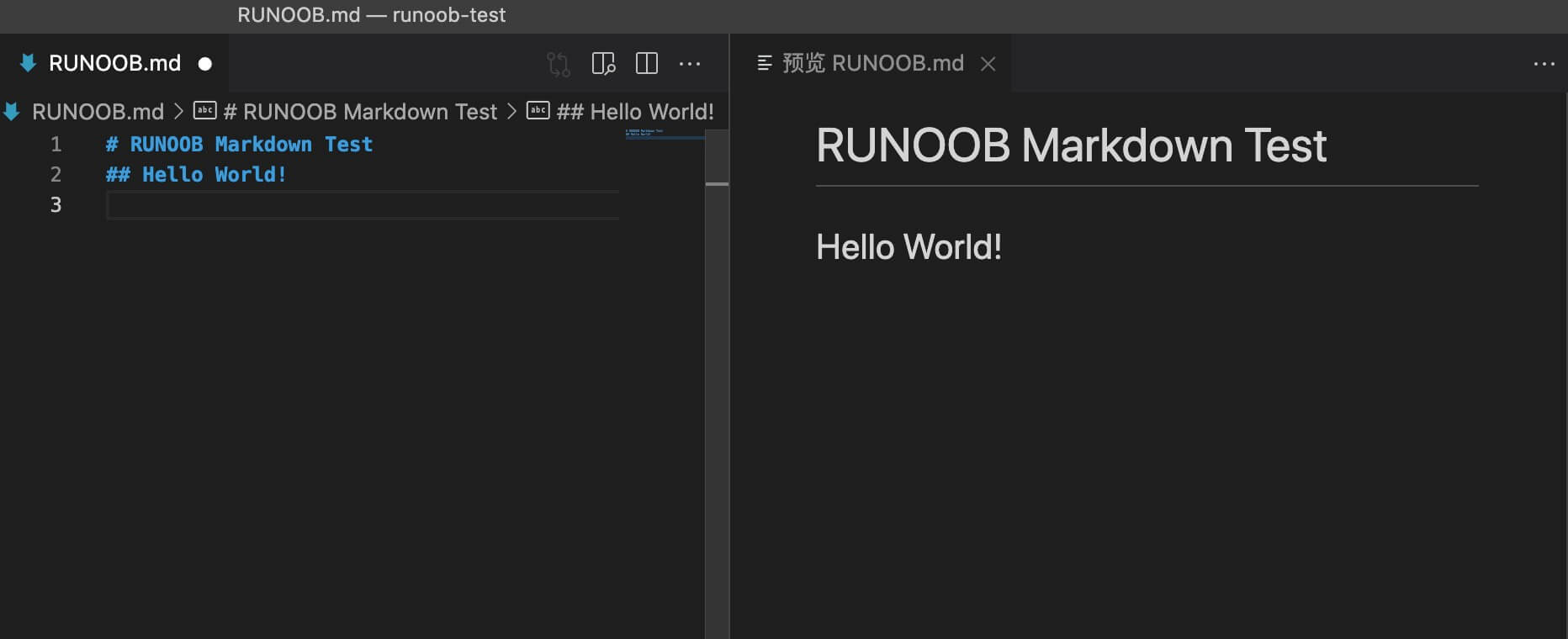
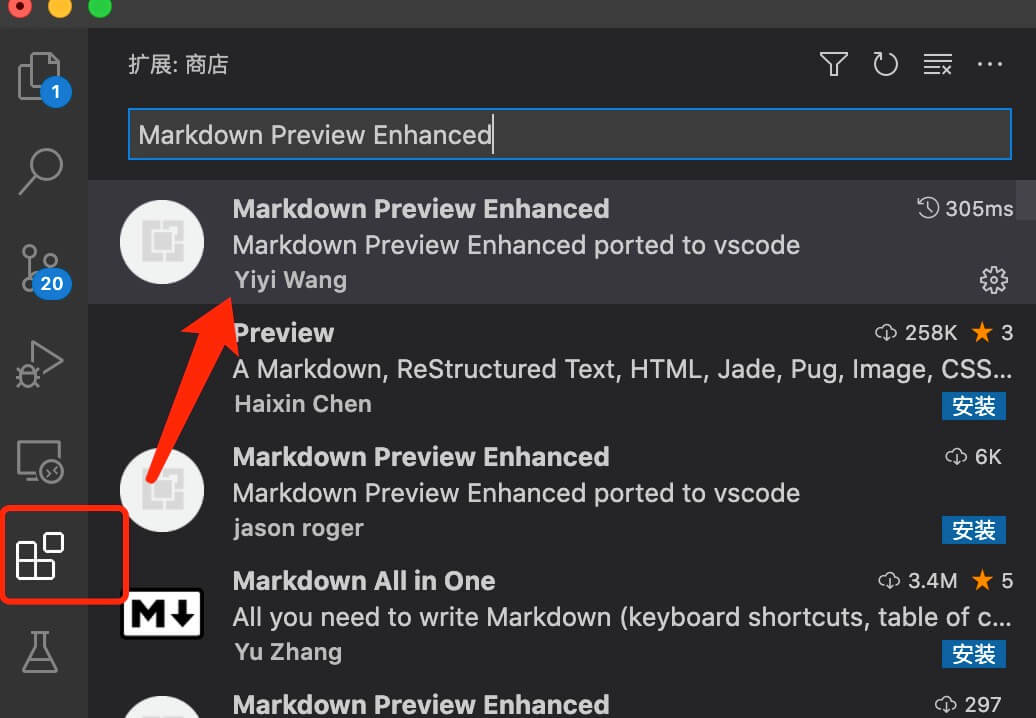
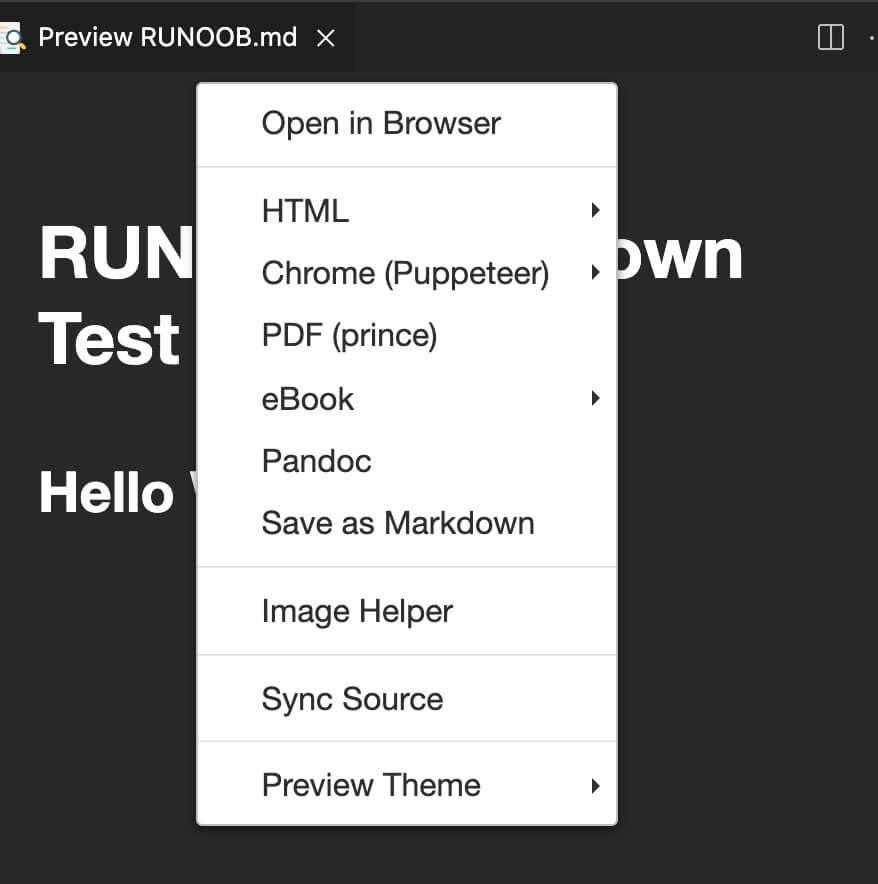
Markdown writes documents with the suffix .md, .markdown. Markdown can be used to write e-books, such as Gitbook. At present, many websites widely use Markdown to write help documents or to post messages on forums. For example: GitHub, brief book, reddit, Diaspora, Stack Exchange, OpenStreetMap, SourceForge and so on. This tutorial will use the VSCode editor to explain the syntax of Markdown. VSCode supports MacOS, Windows, Linux platforms, and includes a variety of topics. VSCode default set into the Markdown document editing plug-in, native support for highlighting Markdown syntax. VSCode (full name: Visual Studio Code) is a free source code editor developed by Microsoft and cross-platform. VScode 安装教程: https://www.runoob.com/w3cnote/vscode-tutorial.html VScode 官网地址: https://code.visualstudio.com/ The real-time preview of VSCode also needs to be implemented by executing the Markdown: Open Preview to the Side command. Enter the Markdown: Open Preview to the Side command in the command window: Final result: If you need to convert markdown to PDF, picture, HTML and other formats, you can also install the corresponding plug-ins to achieve. You can also use our online editor to test: https://c.runoob.com/front-end/712 . In the next test, we first install it under VSCode Markdown Preview Enhanced Plug-ins to achieve more powerful functions. Click the expand button in the right column to find Markdown Preview Enhanced Plug-in, click install: 安装完成后重启 VSCode。 Enter the following code in RUNOOB.md: Paste the code format into the file RUNOOB.md, and the effect is as follows: Right-clicking in the preview box also provides various export functions: The Great Markdown: 10.1.1. Markdown application 
10.1.2. Editor 


10.1.3. Test example 
# RUNOOB Markdown Test
## Hello World!

10.1.4. Useful books 