2.28.1. Method 1. Docker pull httpd 
Find Docker Hub Httpd image on:
` <../wp-content/uploads/2016/06/DD4D706F-7D45-41F6-9506-069E12A87F9D.jpg>` __
You can view other versions of httpd through Sort by. The default is the latest version. httpd:latest .
In addition, we can use the docker search httpd command to view the available versions:
runoob@runoob:~/apache$ docker search httpd
NAME                           DESCRIPTION                  STARS  OFFICIAL AUTOMATED
httpd                          The Apache HTTP Server ..    524     [OK]
centos/httpd                                                7                [OK]
rgielen/httpd-image-php5       Docker image for Apache...   1                [OK]
microwebapps/httpd-frontend    Httpd frontend allowing...   1                [OK]
lolhens/httpd                  Apache httpd 2 Server        1                [OK]
publici/httpd                  httpd:latest                 0                [OK]
publicisworldwide/httpd        The Apache httpd webser...   0                [OK]
rgielen/httpd-image-simple     Docker image for simple...   0                [OK]
solsson/httpd                  Derivatives of the offi...   0                [OK]
rgielen/httpd-image-drush      Apache HTTPD + Drupal S...   0                [OK]
learninglayers/httpd                                        0                [OK]
sohrabkhan/httpd               Docker httpd + php5.6 (...   0                [OK]
aintohvri/docker-httpd         Apache HTTPD Docker ext...   0                [OK]
alizarion/httpd                httpd on centos with mo...   0                [OK]
...
Here we pull the official image.
runoob@runoob:~/apache$ docker pull httpd
After waiting for the download to complete, we can look up the image whose REPOSITORY is httpd in the list of local images.
runoob@runoob:~/apache$ docker images httpd
REPOSITORY     TAG        IMAGE ID        CREATED           SIZE
httpd          latest     da1536b4ef14    23 seconds ago    195.1 MB
2.28.2. Method 2. Build through Dockerfile 
创建 Dockerfile
First, create the directory apache, which will be used to store the following related things.
runoob@runoob:~$ mkdir -p ~/apache/www ~/apache/logs ~/apache/conf
The www directory will be mapped to the application directory configured by the apache container.
The logs directory is mapped to the log directory of the apache container.
The configuration file in the conf directory will be mapped to the configuration file of the apache container.
Go to the apache directory you created and create the Dockerfile.
FROM debian:jessie

# add our user and group first to make sure their IDs get assigned consistently, regardless of whatever dependencies get added
#RUN groupadd -r www-data && useradd -r --create-home -g www-data www-data

ENV HTTPD_PREFIX /usr/local/apache2
ENV PATH $PATH:$HTTPD_PREFIX/bin
RUN mkdir -p "$HTTPD_PREFIX" \
    && chown www-data:www-data "$HTTPD_PREFIX"
WORKDIR $HTTPD_PREFIX

# install httpd runtime dependencies
# https://httpd.apache.org/docs/2.4/install.html#requirements
RUN apt-get update \
    && apt-get install -y --no-install-recommends \
        libapr1 \
        libaprutil1 \
        libaprutil1-ldap \
        libapr1-dev \
        libaprutil1-dev \
        libpcre++0 \
        libssl1.0.0 \
    && rm -r /var/lib/apt/lists/*

ENV HTTPD_VERSION 2.4.20
ENV HTTPD_BZ2_URL https://www.apache.org/dist/httpd/httpd-$HTTPD_VERSION.tar.bz2

RUN buildDeps=' \
        ca-certificates \
        curl \
        bzip2 \
        gcc \
        libpcre++-dev \
        libssl-dev \
        make \
    ' \
    set -x \
    && apt-get update \
    && apt-get install -y --no-install-recommends $buildDeps \
    && rm -r /var/lib/apt/lists/* \
    \
    && curl -fSL "$HTTPD_BZ2_URL" -o httpd.tar.bz2 \
    && curl -fSL "$HTTPD_BZ2_URL.asc" -o httpd.tar.bz2.asc \
# see https://httpd.apache.org/download.cgi#verify
    && export GNUPGHOME="$(mktemp -d)" \
    && gpg --keyserver ha.pool.sks-keyservers.net --recv-keys A93D62ECC3C8EA12DB220EC934EA76E6791485A8 \
    && gpg --batch --verify httpd.tar.bz2.asc httpd.tar.bz2 \
    && rm -r "$GNUPGHOME" httpd.tar.bz2.asc \
    \
    && mkdir -p src \
    && tar -xvf httpd.tar.bz2 -C src --strip-components=1 \
    && rm httpd.tar.bz2 \
    && cd src \
    \
    && ./configure \
        --prefix="$HTTPD_PREFIX" \
        --enable-mods-shared=reallyall \
    && make -j"$(nproc)" \
    && make install \
    \
    && cd .. \
    && rm -r src \
    \
    && sed -ri \
        -e 's!^(\s*CustomLog)\s+\S+!\1 /proc/self/fd/1!g' \
        -e 's!^(\s*ErrorLog)\s+\S+!\1 /proc/self/fd/2!g' \
        "$HTTPD_PREFIX/conf/httpd.conf" \
    \
    && apt-get purge -y --auto-remove $buildDeps

COPY httpd-foreground /usr/local/bin/

EXPOSE 80
CMD ["httpd-foreground"]
COPY httpd-foreground / usr/local/bin/ in the Dockerfile file copies the httpd-foreground in the current directory to the image as the startup script for the httpd service, so we need to create a script file httpd-foreground locally
#!/bin/bash
set -e

# Apache gets grumpy about PID files pre-existing
rm -f /usr/local/apache2/logs/httpd.pid

exec httpd -DFOREGROUND
Give executable permissions to the httpd-foreground file.
runoob@runoob:~/apache$ chmod +x httpd-foreground
Create an image through Dockerfile and replace it with your own name.
runoob@runoob:~/apache$ docker build -t httpd .
After the creation is completed, we can find the image we just created in the local image list.
runoob@runoob:~/apache$ docker images httpd
REPOSITORY     TAG        IMAGE ID        CREATED           SIZE
httpd          latest     da1536b4ef14    23 seconds ago    195.1 MB
Use apache mirroring 
2.28.3. Run the container 
docker run -p 80:80 -v $PWD/www/:/usr/local/apache2/htdocs/ -v $PWD/conf/httpd.conf:/usr/local/apache2/conf/httpd.conf -v $PWD/logs/:/usr/local/apache2/logs/ -d httpd
Command description:
-p 80:80: Map port 80 of the container to port 80 of the host.
-v $PWD/www/:/usr/local/apache2/htdocs/: Mount the www directory under the current directory on the host to the / usr/local/apache2/htdocs/ of the container.
-v $PWD/conf/httpd.conf:/usr/local/apache2/conf/httpd.conf: Mount the conf/httpd.conf file in the current directory on the host to the / usr/local/apache2/conf/httpd.conf of the container.
-v $PWD/logs/:/usr/local/apache2/logs/: Mount the logs directory under the current directory on the host to the / usr/local/apache2/logs/ of the container.
Check the container startup:
runoob@runoob:~/apache$ docker ps
CONTAINER ID  IMAGE   COMMAND             ... PORTS               NAMES
79a97f2aac37  httpd   "httpd-foreground"  ... 0.0.0.0:80->80/tcp  sharp_swanson
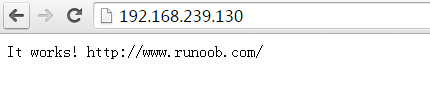
Access through a browser