7.8.1. View layer 
A view function, called View for short, is a simple Python function that accepts Web requests and returns a Web response.
The response can be a HTML page, a 404 error page, a redirect page, an XML document, or a picture.
No matter what logic the view itself contains, a response is returned. The code can be written anywhere, as long as it is under the Python directory, usually in the views.py file of the project.
Each view function is responsible for returning a HttpResponse object that contains the generated response.
There are two important objects in the view layer: request object (request) and response object (HttpResponse).
7.8.2. Request object: HttpRequest object (request object for short) 
Here are a few commonly used request properties.
7.8.3. 1 、 GET 
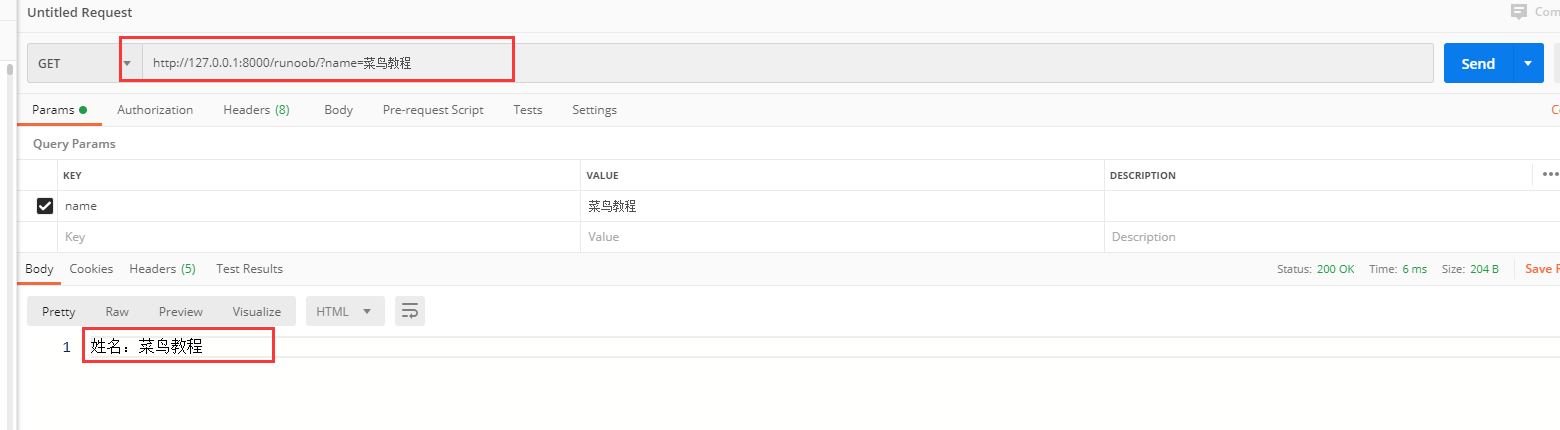
The data type is QueryDict, a dictionary-like object that contains all the parameters of HTTP GET.
If you have the same key, put all the values in the corresponding list.
取值格式:对象.方法。
Get (): returns a string, and if the key pair should have more than one value, take out the last value of the key.Example 
def runoob(request):
    name = request.GET.get("name")
    return HttpResponse('姓名:{}'.format(name))
7.8.4. 2 、 POST 
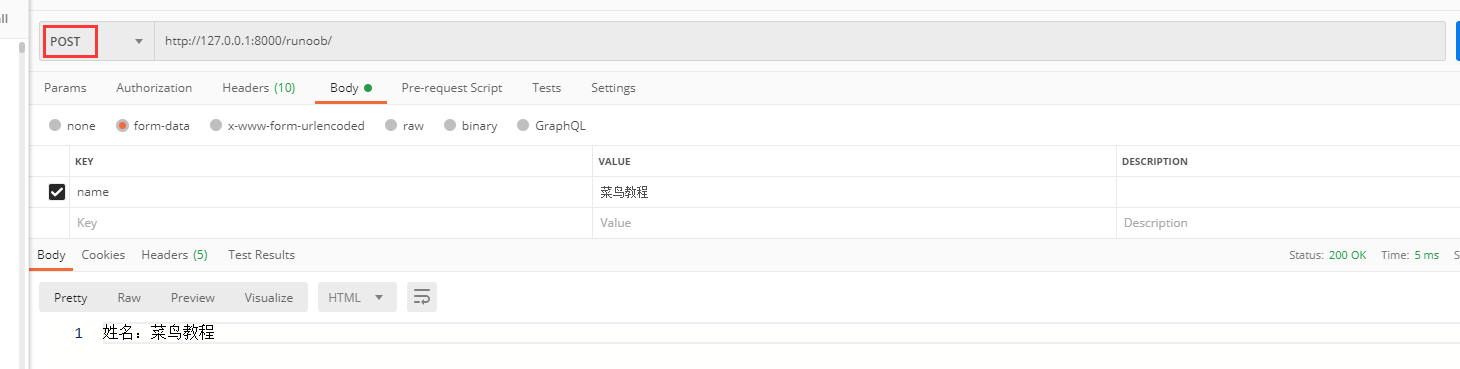
The data type is QueryDict, a dictionary-like object that contains all the parameters of HTTP POST.
Commonly used in form forms, the tag name attribute in the form form corresponds to the key of the parameter, and the value attribute corresponds to the value of the parameter.
Value format: object. Method.
Get (): returns a string, and if the key pair should have more than one value, take out the last value of the key.Example 
def runoob(request):
    name = request.POST.get("name")
    return HttpResponse('姓名:{}'.format(name))
7.8.5. 3 、 body 
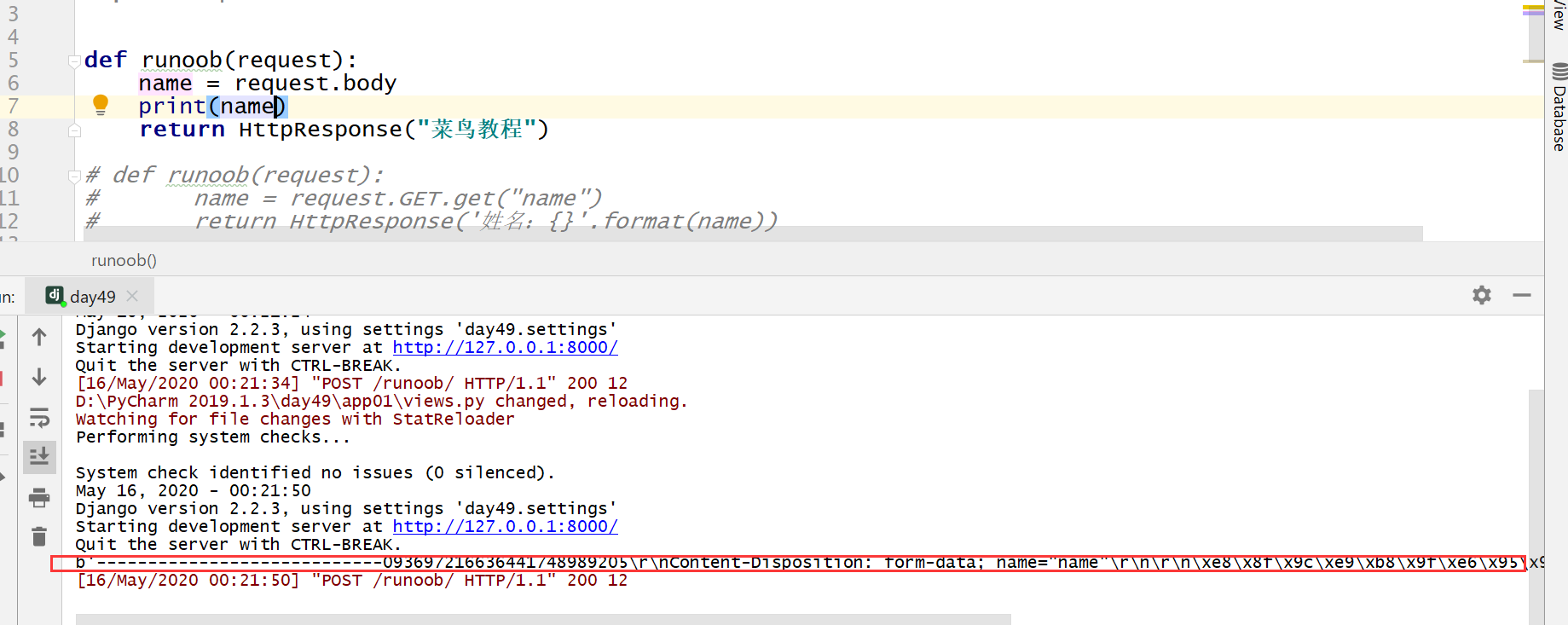
The data type is a binary byte stream, which is the parameter content in the native request body and is used in HTTP for POST, because GET does not have a request body.
It is not commonly used in HTTP, but it is very useful when dealing with messages in non-HTTP form, such as binary pictures, XML, Json, etc.Example 
def runoob(request):
    name = request.body
    print(name)
    return HttpResponse("菜鸟教程")
7.8.6. 4 、 path 
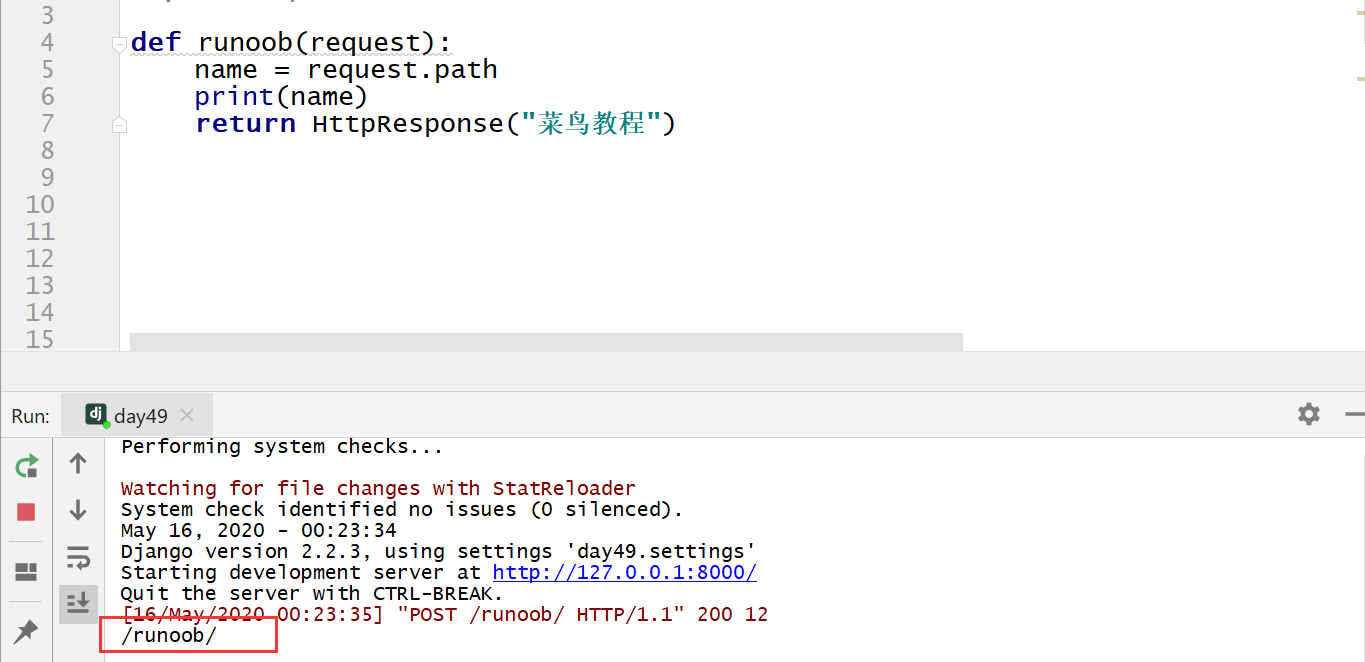
Gets the part of the path in URL, where the data type is a string.Example 
def runoob(request):
    name = request.path
    print(name)
    return HttpResponse("菜鸟教程")
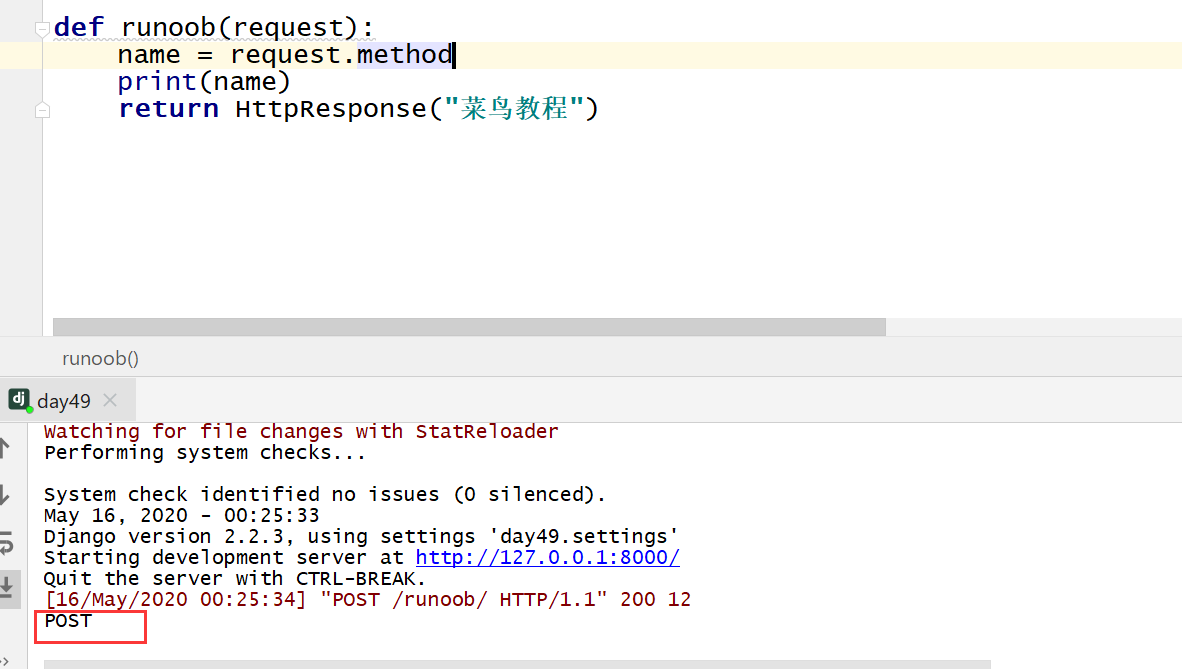
7.8.7. 5 、 method 
The way to get the current request, the data type is a string, and the result is uppercase.Example 
def runoob(request):
    name = request.method
    print(name)
    return HttpResponse("菜鸟教程")
7.8.8. Response object: HttpResponse object 
There are three main forms of response objects: HttpResponse (), render (), and redirect ().
HttpResponse(): Returns the text, the parameter is a string, and the text content is written in the string. If the parameter contains a html tag in the string, it can also be rendered. render(): Return text, the first parameter is request, the second parameter is a string (page name), and the third parameter is a dictionary (optional parameter, the parameter passed to the page: the key is the page parameter name, the value is the views parameter name). redirect() Redirect and jump to a new page The parameter is a string, and the page path is filled in the string. It is commonly used to jump to a new page after a form form is submitted. Render and redirect are encapsulated on the basis of HttpResponse: Render: the underlying HttpResponse object is also returned Redirect: the underlying inheritance is the HttpResponse objectExample 
def runoob(request):
    # return HttpResponse("菜鸟教程")
    return HttpResponse("<a
href='https://www.runoob.com/'>菜鸟教程</a>")

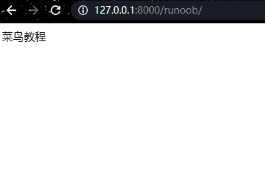
Example 
def runoob(request):
    name ="菜鸟教程"
    return render(request,"runoob.html",{"name":name})
Example 
def runoob(request):
    return redirect("/index/")