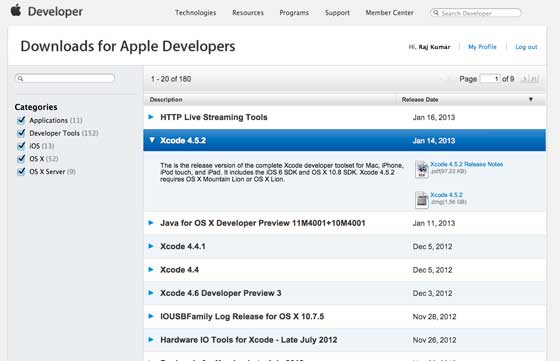
1、从 https://developer.apple.com/downloads/ 下载Xcode的最新版本。
2、双击Xcode dmg文件
3、将找到的设备安装和打开
4、在这里会有两个项目在显示的窗口中即Xcode应用程序和应用程序文件夹的快捷方式
5、将Xcode拖拽并复制到应用程序
6、在应用里选择和运行程序,Xcode也将成为运行程序中的一部分
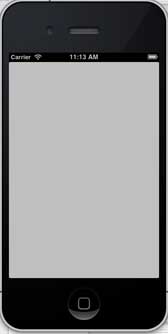
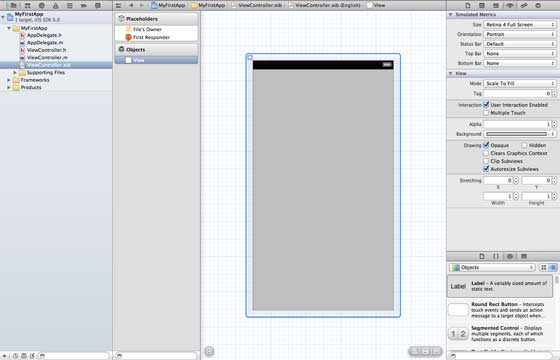
You can also download Xcode from Mac App store and follow the installation steps on the screen Using the tool of interface generator, you can easily create UI interface. You can use a series of UI elements to drag into the UI visual interface. We will learn about adding user interface elements and creating retailer and UI elements on the next page. All the necessary UI elements are included at the bottom of the object library. The user interface is often referred to as xibs, which is their file extension. Each xibs is linked to the corresponding view controller. The iOS simulator actually consists of two types of devices, iPhone and iPad, and their different versions. IPhone versions include iPhone (regular version) and iPhone Retina,iPhone5,iPhone53. Ipad has iPad and iPad Retina. The iPhone simulator is displayed as follows: You can run the iOS simulator when longitude and latitude affect the location of the application, or you can simulate the status of memory warnings and calls in the simulator. Simulators can be used for most purposes, but the functions of devices such as accelerometers cannot be tested. So you may need iOS devices to test all aspects of an application. 9.3.1. Interface Generator (Interface Builder) 
9.3.2. IOS simulator