Before installing Django, the system needs a development environment that already has Python installed. Next, let’s take a specific look at the installation of Django on different systems. If you have not installed the Python environment, you need to download the Python installation package first. 1、Python 下载地址: https://www.python.org/downloads/ 2、Django 下载地址: https://www.djangoproject.com/download/ 注意: At present, Django 1.6.x and above are fully compatible with Python 3.x. To install Python, you just need to download the python-x.x.x.msi file and click the “Next” button all the time. You need to set the Python environment variable after installation. Right-click computer-> Properties-> Advanced-> Environment variables-> modify the system variable path, add the Python installation address, this example uses C:Python33, you need to install according to your actual situation. Download the Django package, unzip it and place it in the same root directory as the Python installation directory, go to the Django directory, execute python setup.py install, and then start the installation. Django will be installed into site-packages under Python’s Lib. 然后是配置环境变量,将这几个目录添加到系统环境变量中: C:Python33Libsite-packagesdjango;C:Python33Scripts。 添加完成后就可以使用Django的django-admin.py命令新建工程了。 Enter the following command to check: If you output the version number of Django, the installation is correct. The following installation is located in the Centos Linux environment, if your Linux system is ubuntu, please use the apt-get command. Python is already supported by the Linux environment by default. You can enter the Python command at the terminal to see if it has been installed. Command: When you are finished, you can use the easy_install command to install django Then we enter the following code into the Python interpreter: We can see that the version number of Django is output, indicating that the installation is successful. If you have not installed the pip tool, check out: Python pip 安装与使用 . Specify the download version of Django (3.0.6 can be changed to the version you want): If pip < 1.4, the installation method is as follows: Download the source package: https://www.djangoproject.com/download/ Enter the following command and install: After a successful installation, Django is located in the site-packages directory of the Python installation directory. From 这里 Download the latest stable version: DJango-3.x.y.tar.gz, and download it in the list on the right side of the page, as shown below: Remember, it’s the latest official version. Among them x.y It’s the version number. Enter the folder where you downloaded the file and execute the following command: (/ Users/xxx/Downloads,xxx is your user name by default under Mac) You can also download the latest version from Github at https://github.com/django/django : Enter the decompressed directory: The following information is output after a successful installation: Then go to our site directory and create the Django project: Start the service: The above information indicates that the project has been started and the access address is http://127.0.0.1:8000/ . 7.3.1. Install Django under Windows 
7.3.2. Python installation (installed can be skipped) 
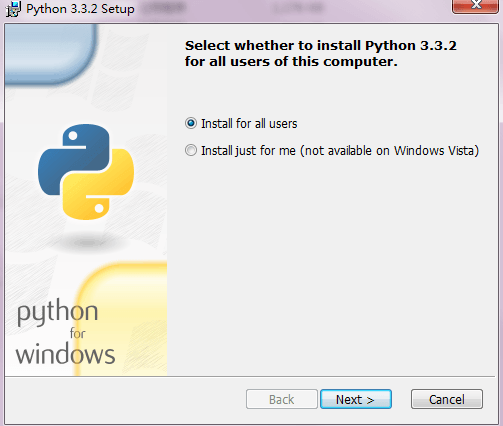
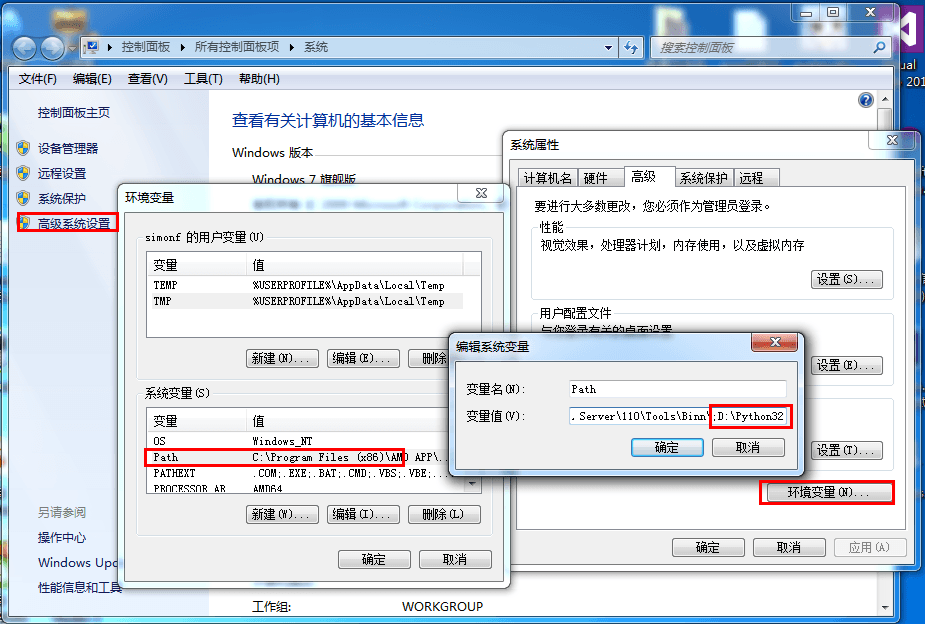
7.3.3. Django installation 
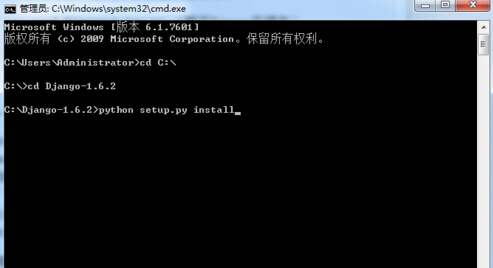
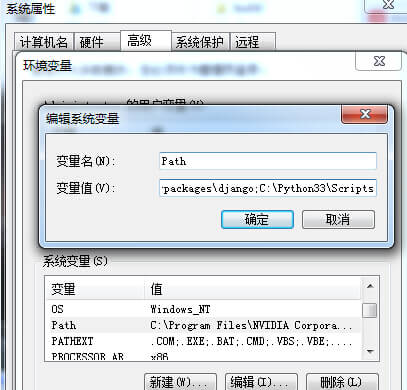
7.3.4. Check whether the installation is successful 
>>> import django
>>> django.get_version()
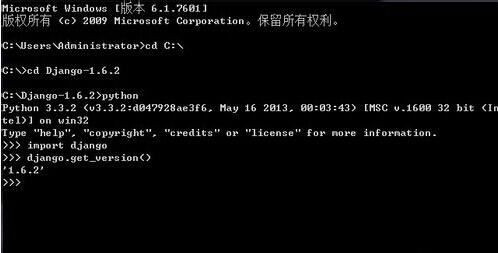
7.3.5. Install Django on Linux 
7.3.6. Yum installation method 
Python 3.7.4 (default, Aug  1 2012, 05:14:39)
[GCC 4.6.3] on linux2
Type "help", "copyright", "credits" or "license" for more information.
>>>
7.3.7. Install setuptools 
# Python3 安装
yum install python3-setuptools
# Python2 安装
yum install python2-setuptools
easy_install django
[root@solar django]# python
Python 3.7.4 (default, May 15 2014, 14:49:08)
[GCC 4.8.0] on linux2
Type "help", "copyright", "credits" or "license" for more information.
>>> import django
>>> django.VERSION
(3, 0, 6, 'final', 0)
7.3.8. Installation method of pip command 
sudo pip3 install Django -i https://pypi.tuna.tsinghua.edu.cn/simple
      -i
      https://pypi.tuna.tsinghua.edu.cn/simple
Specify Tsinghua mirror source, download faster.sudo pip3 install Django==3.0.6 -i https://pypi.tuna.tsinghua.edu.cn/simple
pip install https://www.djangoproject.com/download/1.11a1/tarball/
7.3.9. Source code installation method 
tar xzvf Django-X.Y.tar.gz    # 解压下载包
cd Django-X.Y                 # 进入 Django 目录
python setup.py install       # 执行安装命令
7.3.10. Install under Mac 
7.3.11. download 
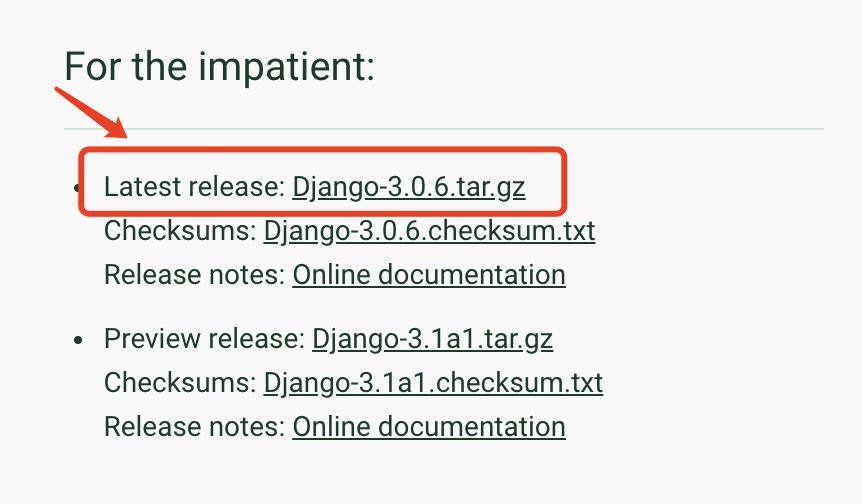
$ tar zxvf Django-3.x.y.tar.gz
git clone https://github.com/django/django.git
7.3.12. Installation 
cd Django-3.x.y
sudo python setup.py install
……
Processing dependencies for Django==3.x.y
Finished processing dependencies for Django==3.x.y
$ django-admin.py startproject testdj
cd testdj # 切换到我们创建的项目
$ python manage.py runserver
……
Starting development server at http://127.0.0.1:8000/
Quit the server with CONTROL-C.